Harvie Ken Colonia

Laptop on a desk displaying a Google Business Profile dashboard with headline text explaining how to fix visibility issues on Google.

Why Your Google Business Profile Isn’t Working and How to Fix It Fast

Services Search Engine Optimization (SEO) Google Business Profile Optimization Graphics Design Social Media Marketing My Process FAQs Articles About Contact Services Search Engine Optimization (SEO) Google Business Profile Optimization Graphics Design Social Media Marketing My Process FAQs Articles About Contact Wanna Chat?   Why Your Profile Isn’t Showing Up on Google Why Your Google Business Profile Isn’t Working and How to Fix It Fast Learn simple steps to improve your Google Business Profile and boost local visibility, helping you attract more calls and customers.   Why Your Google Business Profile Isn’t Working If your Google Business Profile isn’t showing up or bringing in customers, it’s usually because something in your listing is wrong or incomplete. This can be outdated business info, the wrong category, missing photos, a duplicate listing, or a problem with verification. When these things happen, Google doesn’t know if your business is reliable, so it shows your profile less often. Most owners don’t notice this right away; they just see fewer calls or fewer views and wonder what happened. The good thing is that these issues are common and easy to fix. Once you correct the details and clean up the problem, your visibility can improve quickly. This guide explains what to look for and how to get your profile working again. What You’ll Learn in This Guide The Hidden Signs Your Profile Is Underperforming The Hidden Signs Your Profile Is Underperforming Incorrect or Inconsistent Business Information Incorrect or Inconsistent Business Information Wrong Categories or Missing Services Wrong Categories or Missing Services Missing, Low-Quality, or Rejected Photos Missing, Low-Quality, or Rejected Photos Verification Problems, Suspensions, and Duplicate Listings Verification Problems, Suspensions, and Duplicate Listings Reviews Not Showing or Syncing Properly Reviews Not Showing or Syncing Properly How to Fix Google Business Profile Issues Fast (Step-by-Step) How to Fix Google Business Profile Issues Fast (Step-by-Step) A Note from Someone Who Fixes These Issues Every Day A Note from Someone Who Fixes These Issues Every Day Final Thoughts: Keeping Your Profile Healthy Long-Term Final Thoughts: Keeping Your Profile Healthy Long-Term Frequently Asked Questions Frequently Asked Questions About the Author About the Author The Hidden Signs Your Profile Is Underperforming Sometimes, it’s hard to tell when your Google Business Profile isn’t working as well as it should. The issues might be small at first, but they can really add up over time. Here’s what to watch for: ● Fewer calls or direction requests: If people aren’t calling or asking how to get to your business as much as they used to, it might be a sign your profile isn’t showing up as often in searches. That’s a problem, especially if you’ve noticed a drop in foot traffic or inquiries. ● Less profile traffic: If your profile used to get a lot of views and now it’s not as busy, it could be a sign that something’s off. Fewer views mean fewer chances for people to learn about you and choose your business over competitors. ● Missing reviews or slow updates: Noticing reviews that don’t show up or updates that seem to take longer than usual? This could point to an issue with your profile. Google needs to see that your profile is active and up-to-date to rank it higher. If you’ve noticed any of these things, it’s time to take action. They’re early signs that your profile might need some attention. Incorrect or Inconsistent Business Information If your Google Business Profile isn’t showing up like it should, the problem might be that your business information is wrong or doesn’t match across different places. Google needs to trust that the info is correct, and if there are mistakes, it might hide your profile from searches. Here’s what to check: ● NAP mismatches across platforms: NAP stands for Name, Address, Phone number. If this info isn’t the same everywhere, on social media, your website, and other online listings, Google can get confused and won’t show your profile as often. ● Outdated hours or incomplete listings: If your business hours are wrong or missing, or if your profile doesn’t have all the right details (like your website or a good business description), Google won’t rank your profile as high. ● Confuses Google’s trust signals: Google wants to trust your business. If the information is off, it doesn’t know what to believe, which can lower your ranking. ● Leads to suppressed visibility: When your info isn’t right, Google might stop showing your profile as often, even when people are searching for businesses like yours. The fix? Make sure your business name, address, and phone number are the same everywhere. Check your hours and details too. It’s a quick fix that can help you show up more often in searches. Wrong Categories or Missing Servicese Rankings Anymore If your Google Business Profile isn’t showing up as much as it should, it could be because you’ve chosen the wrong category or missed listing some of your services. These are easy fixes, and they can make a big difference in how often your business shows up in search results. Here’s what to look out for: ● Wrong category = wrong audience: Picking the wrong category for your business can cause you to miss out on the right customers. For example, if you’re a plumber but you select “electrician” as your category, Google will show your profile to people looking for electricians, not plumbers. Make sure you choose the category that best fits what you offer. ● Missing services = fewer chances to show up: If you don’t list all the services you provide, Google won’t know to show your profile for those specific searches. The more services you list, the better the chance people searching for those things will find you. ● Easy fix with big results: The good news is, fixing this is simple. Just make sure your primary category matches what you do, and be sure to add every service you offer. It’s a small change that can help you get noticed more. Missing,

Why Your Google Business Profile Isn’t Working and How to Fix It Fast Read More »
Showing a modern office desk with multiple screens displaying SEO analytics and digital graphs, with bold text reading ‘What Happens Behind Your First 90 Days of SEO.

The First 90 Days of SEO: What Businesses Don’t See Behind the Scenes

Services Search Engine Optimization (SEO) Google Business Profile Optimization Graphics Design Social Media Marketing My Process FAQs Articles About Contact Services Search Engine Optimization (SEO) Google Business Profile Optimization Graphics Design Social Media Marketing My Process FAQs Articles About Contact Wanna Chat?   Inside The First 90 Days Of Your SEO Journey The First 90 Days of SEO: What Businesses Don’t See Behind the Scenes See what is actually being fixed and built before your business starts moving up on Google.   Quick Answer: What Happens in the First 90 Days of SEO The first 90 days of SEO are mostly about fixing what’s holding your website back. A lot of this work isn’t obvious on the outside because it happens in the background, cleaning up pages, fixing small errors, improving content, and helping Google understand your site better. During this time, Google is checking your updates, learning what your site is really about, and watching for signs that things are getting better. You might not see big results yet, but this is the stage that sets everything up. Once the foundation is steady, your site can finally start moving up in search over the next few months. What You’ll Learn in This Guide Why the First 90 Days Feel Slow (But Are the Most Important Phase) Why the First 90 Days Feel Slow (But Are the Most Important Phase) Days 1–30: Fixing the Foundation Google Judges First Days 1–30: Fixing the Foundation Google Judges First Days 31–60: Creating the Signals Google Needs to Trust You Days 31–60: Creating the Signals Google Needs to Trust You Days 61–90: Showing Google You Deserve to Rank Days 61–90: Showing Google You Deserve to Rank What You Should Realistically See by Day 90 What You Should Realistically See by Day 90 What Most Businesses Don’t Realize About the First 90 Days What Most Businesses Don’t Realize About the First 90 Days When Real SEO Growth Begins (After Month 3) When Real SEO Growth Begins (After Month 3) How to Know If Your SEO Is Actually Working How to Know If Your SEO Is Actually Working Why the First 90 Days Work Better With an Experienced SEO Partner Why the First 90 Days Work Better With an Experienced SEO Partner Final Takeaway Final Takeaway FAQs: The First 90 Days of SEO FAQs: The First 90 Days of SEO About the Author About the Author Why the First 90 Days Feel Slow (But Are the Most Important Phase) The early part of SEO can feel slow because you don’t see big jumps yet, even though important work is already happening behind the scenes. Growth needs a clean start, and that takes time. Here’s why this phase moves at a slower pace: ● Most of the work is cleanup. Old pages, broken links, missing tags, and other small issues add up over time. These need to be fixed so Google doesn’t get confused about your site. Cleaning these up helps Google understand who you are and what you offer. ● Google needs time to look again. When changes are made, Google won’t update the rankings right away. It has to crawl your pages again, compare the new version with the old one, and check if your updates make things clearer or more helpful. ● Hidden problems slow things down. Many sites have issues people don’t notice, slow loading, thin content, bad structure, or outdated pages. These things quietly hold rankings back, so they have to be repaired before the site can move forward. ● This stage builds the base for results. Think of this as laying down the foundation of a house. Once the base is strong, everything built on top of it will last longer and grow faster. Without a solid start, results take much longer to appear. The first 90 days may not feel fast, but this is the work that sets your site up for real improvement once Google starts trusting the updates. Days 1–30: Fixing the Foundation Google Judges First The first month is all about getting your website into good shape. Nothing big shows on the outside yet, but this is where the important fixes happen, the ones that help Google understand your site and trust it. Here’s what usually gets done in this stage: ● A full check of your whole site. Every page is reviewed to spot problems like slow loading, broken links, or pages that are hard for Google to read. This gives a clear picture of what needs attention first. ● Matching the right keywords to the right pages. This step makes sure your pages line up with what people are actually searching for. It helps Google know which page to show for which search. ● Fixing indexing and crawl issues. If Google can’t find a page, it can’t rank it. So we fix anything that blocks Google from seeing your content, wrong settings, hidden pages, or confusing links. ● Improving important on-page elements. Titles, headings, and content are cleaned up so each page is clearer and easier to understand. These small changes help both search engines and visitors. ● Spotting quick wins. Sometimes small tweaks can bring early movement. We look for pages that already have potential and give them a boost to create early progress. Month one doesn’t show dramatic results yet, but it prepares your site for the improvements that come later. Once these basics are handled, Google can finally start responding to the work in the next stages. Days 31–60: Creating the Signals Google Needs to Trust You In this stage, the groundwork is already done. Now the goal is to show Google that your site is active and useful. This is when your site slowly starts to gain traction. ● New and improved content goes live. Pages are updated or added so Google can see fresh, clear information on your site. ● Your pages are linked together better. Simple links between your own pages help Google and visitors move around more

The First 90 Days of SEO: What Businesses Don’t See Behind the Scenes Read More »

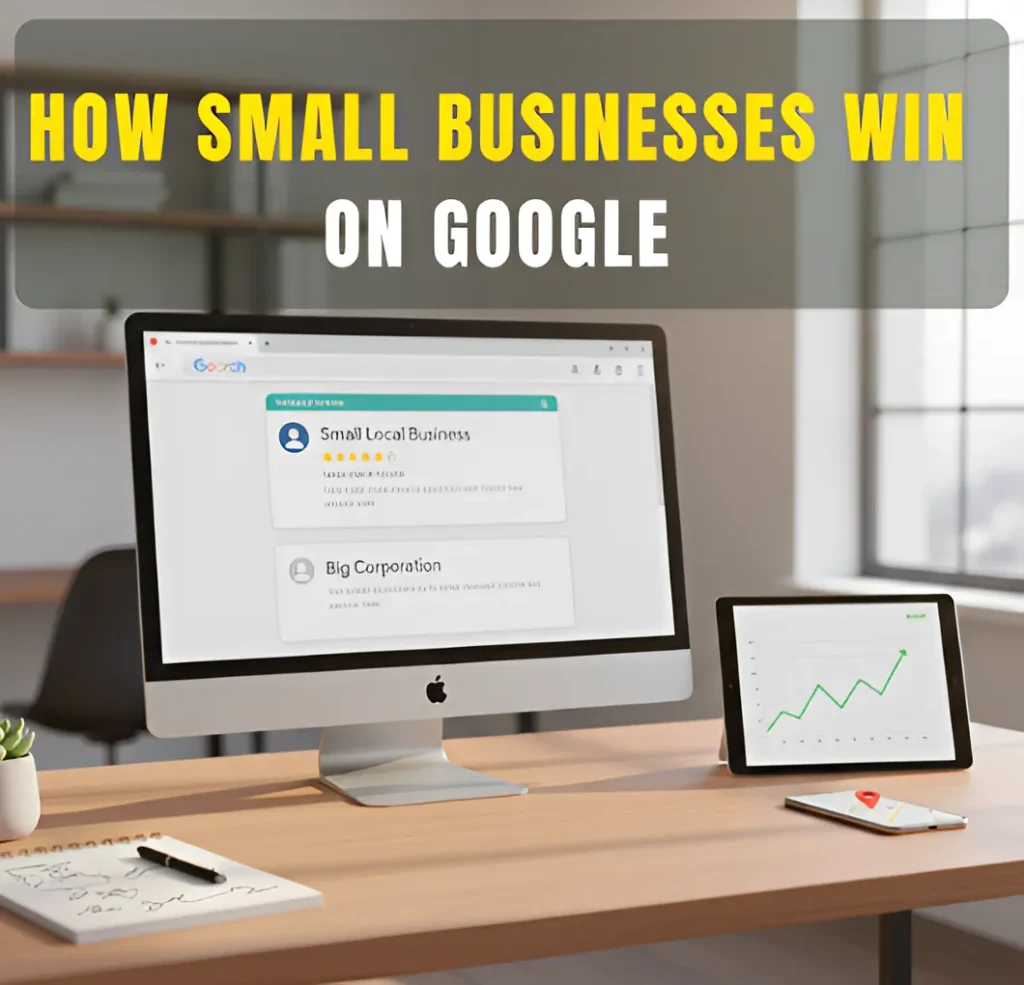
Small local business ranking above a big corporation on a computer screen, illustrating how small businesses can win on Google through smart SEO strategies.

Low-Budget SEO: How Small Businesses Can Still Win on Google

Services Search Engine Optimization (SEO) Google Business Profile Optimization Graphics Design Social Media Marketing My Process FAQs Articles About Contact Services Search Engine Optimization (SEO) Google Business Profile Optimization Graphics Design Social Media Marketing My Process FAQs Articles About Contact Wanna Chat?   Why Small Businesses Can Still Compete Online Low-Budget SEO: How Small Businesses Can Still Win on Google See how simple SEO steps can help your business show up more on Google.   How Small Businesses Can Compete on Google Without a Big Budget You don’t need a big budget to show up on Google. What matters most is being clear, helpful, and easy for people to find. Google rewards businesses that give useful answers, have accurate local info, and make it simple for customers to understand what they do. Small businesses can even outrank bigger companies because local searches rely on trust, relevance, and location, not money. When your website and Google Business Profile share the right details, you have a real chance to appear at the top. In short, Google cares about what helps the searcher. That’s why small businesses can win without spending a lot. What You’ll Learn in This Guide Why Budget Doesn’t Decide Rankings Anymore Why Budget Doesn’t Decide Rankings Anymore Focus on Your Google Business Profile for Maximum Local Visibility Focus on Your Google Business Profile for Maximum Local Visibility Target Keywords You Can Actually Rank For Target Keywords You Can Actually Rank For Create Helpful Content That Answers Real Customer Questions Create Helpful Content That Answers Real Customer Questions Strengthen Your Core Pages with Simple On-Page SEO Fixes Strengthen Your Core Pages with Simple On-Page SEO Fixes Build Local Trust Through Reviews and Local Listings Build Local Trust Through Reviews and Local Listings Earn Simple Backlinks Without a Big SEO Campaign Earn Simple Backlinks Without a Big SEO Campaign How I Can Help Your Business Grow on a Budget How I Can Help Your Business Grow on a Budget Small Budgets Can Still Lead to Big Wins on Google Small Budgets Can Still Lead to Big Wins on Google Low-Budget SEO FAQs for Small Businesses Low-Budget SEO FAQs for Small Businesses About the Author About the Author Why Budget Doesn’t Decide Rankings Anymore Google isn’t looking for the business with the most money. It’s looking for the result that helps the searcher the most. This is why small businesses can still show up well in search, even when bigger companies are spending more on marketing. Here’s why you can compete: ● Google prefers clear and helpful content. If your pages explain things in a simple way, that’s already a strong advantage. ● Local results give small businesses a boost. When someone searches nearby, Google often shows the closest and most relevant choice not the biggest brand. ● Accurate business info builds trust. Clear details, clean photos, and good reviews help Google understand your business better. ● Recent updates reward useful pages. Google now pays more attention to pages that answer real questions and feel easy to read. ● Showing effort matters more than budget. Small improvements done regularly can help you grow faster than companies that rely only on paid ads. These changes make it possible for smaller businesses to stand out simply by being clear, helpful, and consistent. Focus on Your Google Business Profile for Maximum Local Visibility Your Google Business Profile is one of the easiest ways for people to find your business online. It’s free, and small updates can help you show up more often in local searches. Here’s why it helps: ● It brings good results for local businesses. A clear profile can lead to more calls and visits without extra cost. ● It helps you appear in the map area. Many people click the map results first, so this spot can bring steady traffic. ● Reviews build trust quickly. When people see real comments from customers, they feel more comfortable choosing you. ● Simple updates keep your profile active. New photos, correct hours, and short posts help Google know your business is real and open. ● Clear information helps customers decide faster. When your services and contact details are easy to understand, people can reach you without confusion. Keeping your Google Business Profile updated is an easy win, even if you’re working with a small budget. Target Keywords You Can Actually Rank For Picking the right keywords helps you show up in searches faster. You don’t need the biggest or most popular keywords. You just need the ones that fit your business and your local area. Here’s what works best: ● Use longer and more specific phrases. These are searches like “emergency plumber in Clive” or “best pizza in Ankeny.” They’re easier to rank for and bring in people who are ready to take action. ● Go for keywords with less competition. When fewer businesses try to rank for a phrase, you have a better chance of showing up sooner. ● Choose keywords that show real intent. Instead of chasing high search numbers, focus on what buyers want. For example, “roof repair near me” is stronger than “roofing ideas.” ● Match your keywords to your actual service. Clear, direct phrases help Google understand exactly when to show your business. Simple keyword choices can lead to faster results, even if you’re just starting or working with a small budget. Create Helpful Content That Answers Real Customer Questions You don’t need a lot of content to show up on Google. What helps most is answering the questions people ask you every day. Simple posts with clear answers can bring in the right visitors. Here’s what to focus on: ● Answer common questions. Things like how something works, what it costs, or what people should expect. ● Use short, FAQ-style topics. These are easy for people to read and easy for Google to match with real searches. ● Keep your words simple. A short, clear answer is often more helpful than a long article. ● Share real problems

Low-Budget SEO: How Small Businesses Can Still Win on Google Read More »

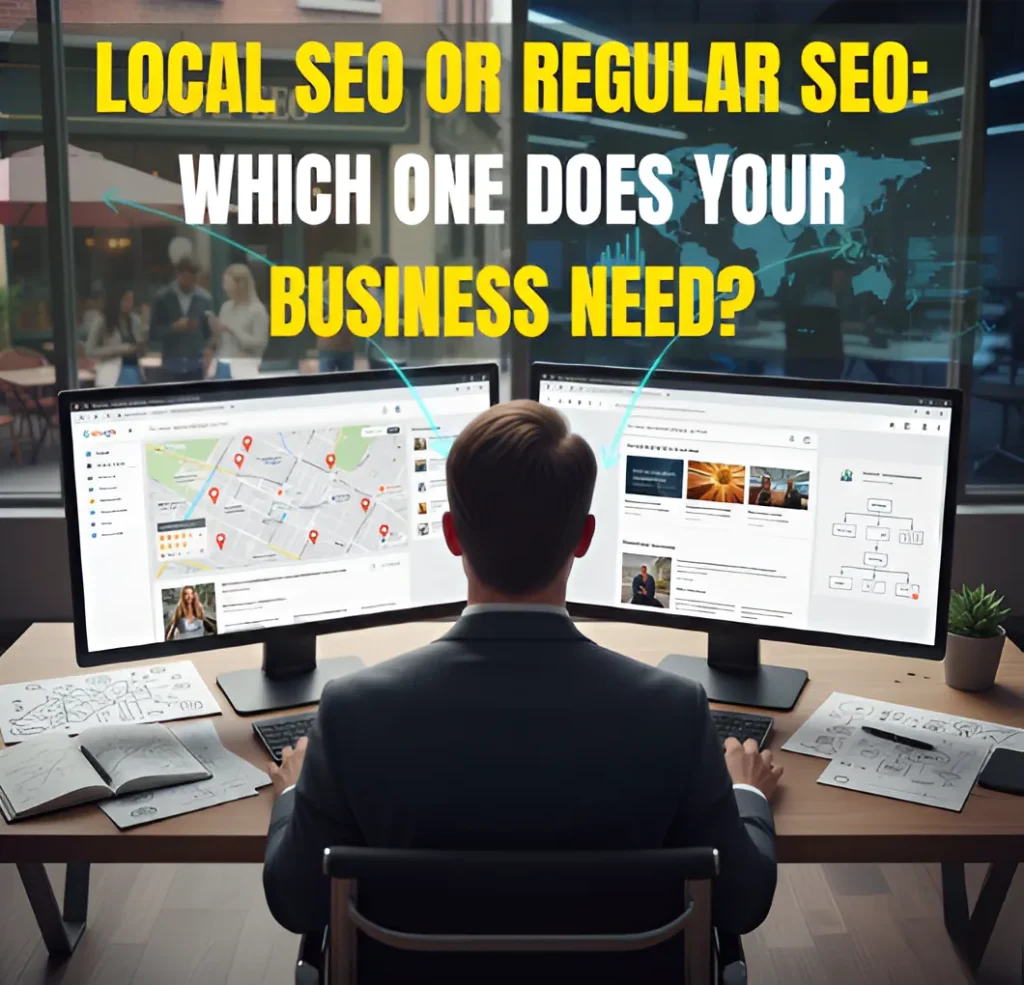
SEO strategy comparison between Local SEO with Google Maps and Regular SEO with global reach.

Local SEO vs SEO: How to Know Which One Your Business Really Needs

Services Search Engine Optimization (SEO) Google Business Profile Optimization Graphics Design Social Media Marketing My Process FAQs Articles About Contact Services Search Engine Optimization (SEO) Google Business Profile Optimization Graphics Design Social Media Marketing My Process FAQs Articles About Contact Wanna Chat?   Why This Matters for Your Business Local SEO vs SEO: How to Know Which One Your Business Really Needs See how Local SEO and Regular SEO impact your visibility and which one helps you grow faster.   Quick Answer: How to Know Which SEO You Need Start by thinking about where your customers actually come from. If most of them live in your city or nearby, then Local SEO is the one that helps you show up in Google Maps and local searches. But if your business reaches people outside your area or anywhere online Regular SEO usually makes more sense because it focuses on broader searches. Some businesses end up needing a mix of both, especially if they serve a local community but also want to grow beyond it. What You’ll Learn in This Guide What Regular SEO Is (and How It Works) What Regular SEO Is (and How It Works) What Local SEO Is (and Why It Matters for Local Visibility) What Local SEO Is (and Why It Matters for Local Visibility) Local SEO vs Regular SEO: The Key Differences Local SEO vs Regular SEO: The Key Differences How to Know Which SEO You Actually Need How to Know Which SEO You Actually Need When You Need BOTH Local SEO and Regular SEO When You Need BOTH Local SEO and Regular SEO Common Mistakes People Make When Choosing SEO Common Mistakes People Make When Choosing SEO How I Can Help with Your SEO Needs How I Can Help with Your SEO Needs The Fastest Way to Choose the Right Approach The Fastest Way to Choose the Right Approach Local SEO vs SEO: Frequently Asked Questions Local SEO vs SEO: Frequently Asked Questions About the Author About the Author What Regular SEO Is (and How It Works) Regular SEO focuses on helping your website show up in searches that aren’t tied to any specific city or location. Think of it as the work that helps people find you when they’re looking for a product, service, or answer, no matter where they are. It usually involves improving three main areas of your site: ● The quality and usefulness of your content● The trust signals pointing to your site, like backlinks● The technical setup that helps Google understand your pages When these pieces are in good shape, your pages have a better chance of ranking for broad, topic-based keywords rather than local searches. Regular SEO works especially well for businesses that reach customers online, sell beyond their hometown, or want to build authority in their industry rather than just their city. What Local SEO Is (and Why It Matters for Local Visibility) Local SEO is the type of SEO that helps people in your area find your business. When someone nearby searches for a service and wants a local option, this is what helps you show up, especially in Google’s map results. It focuses on a few practical things that tell Google, “Yes, this business serves this location,” such as: ● Updating and maintaining your Google Business Profile● Keeping your business name, address, and phone number consistent across the web● Getting reviews from real customers● Using keywords that mention your city or the areas you serve Local SEO usually matters most for businesses that rely on customers who live or work close by, like: ● Home service companies● Medical or dental practices● Restaurants and retail locations● Real estate professionals● Any business that serves a specific city or service area If most of your customers come from your local community, Local SEO is what helps them find you when they’re ready to reach out. Local SEO vs Regular SEO: The Key Differences Local SEO and Regular SEO do very different jobs, even though both fall under the same “search optimization” umbrella. Here’s a simple way to look at how they differ without overcomplicating things. 1. Ranking Goals ● Local SEO is built to help you show up in Google’s map results and local listings. ● Regular SEO focuses on helping your website show up in the main search results for broader topics. 2. Keyword Strategy ● Local SEO works with location-based searches, like “dentist in Ankeny.” ● Regular SEO focuses on general keywords that don’t mention a place, like “how to prevent tooth pain.” 3. Audience Targeting ● Local SEO reaches people who are close enough to visit you or book a service. ● Regular SEO reaches people from anywhere who are searching for information, products, or services. 4. What Helps You Rank ● Local SEO pays attention to things like reviews, local listings, your Google Business Profile, and how close you are to the searcher. ● Regular SEO leans more on strong content, links from other websites, and whether your site is technically easy for Google to crawl. 5. Tools & Signals Used ● Local SEO relies heavily on Google Business Profile, local citations, and location signals. ● Regular SEO depends more on your website content, backlinks, and technical improvements. How to Know Which SEO You Actually Need The easiest way to choose between Local SEO and Regular SEO is to look at how your business works. Here are a few simple questions that can guide you: Think about your customers: ● Do your customers come from your city or nearby areas?If yes, you’ll need Local SEO. ● Do you only serve certain towns or neighborhoods?Then Local SEO is the right fit. ● Do people need to visit your place or book a service in person?Local SEO will help them find you faster. Now think about your reach: ● Can anyone buy from you, no matter where they live?That points to Regular SEO. ● Are your main competitors ranking in many places, not just one city?You’ll likely

Local SEO vs SEO: How to Know Which One Your Business Really Needs Read More »

Does My Website Need SEO? Clear Signs You Shouldn’t Ignore

Services Search Engine Optimization (SEO) Google Business Profile Optimization Graphics Design Social Media Marketing My Process FAQs Articles About Contact Services Search Engine Optimization (SEO) Google Business Profile Optimization Graphics Design Social Media Marketing My Process FAQs Articles About Contact Wanna Chat?   SEO Warning Signs Does My Website Need SEO? 10 Clear Signs You Shouldn’t Ignore See why your site isn’t showing up on Google and how SEO can turn that around.   Quick Answer: How to Tell If Your Website Needs SEO You can tell your website needs SEO when people can’t find you online. If you’re not showing up for the searches that matter, or you’re not getting steady visits or messages, SEO is usually the reason. Most business owners notice this when things start to slow down. Maybe fewer people are clicking on the site. Maybe inquiries have dropped. Or maybe the website just doesn’t feel as strong as it used to. Here’s the quick test: If your website isn’t helping people discover your business, learn about what you offer, or reach out to you, it’s time to work on your SEO. What You’ll Learn in This Guide Your Website Might Not Be Indexed Yet Your Website Might Not Be Indexed Yet Your SEO Basics Are Not in Place Your SEO Basics Are Not in Place Your Google Business Profile Isn’t Optimized Your Google Business Profile Isn’t Optimized You Don’t Have Enough Backlinks or Online Authority You Don’t Have Enough Backlinks or Online Authority Competitors Are Doing More Than You Competitors Are Doing More Than You Technical Issues Are Holding You Back Technical Issues Are Holding You Back Your Content Doesn’t Match Search Intent Your Content Doesn’t Match Search Intent How I Can Help Fix These Problems How I Can Help Fix These Problems Here’s the Bottom Line Here’s the Bottom Line FAQs: Why Your Business Isn’t Showing Up on Google FAQs: Why Your Business Isn’t Showing Up on Google About the Author About the Author You Don’t Appear for the Keywords Your Customers Search Another clear sign your website needs SEO is when you’re not showing up for the words people normally use to look for your service. If someone searches for what you offer and your site doesn’t appear, it usually means Google isn’t fully sure what your pages are about. This often happens when: ● The words on your site don’t match how people search. Maybe customers use simple terms, but your site uses very different ones. When the wording doesn’t line up, Google won’t connect your page to the search. ● Your titles and descriptions aren’t clear enough. If Google can’t tell what a page is about from the title or description, it may choose a competitor’s page instead. ● Your content is too general. If your pages try to cover everything at once, the main message gets lost. Google prefers pages that clearly focus on one topic. ● Competitors explain the same thing in a clearer way. If another website makes it easier for Google to understand the topic, their page will show up first, even if your service is better. When your pages don’t match real search behavior, your website becomes harder to find. This is something many business owners notice early on, and it’s a strong sign that SEO work is needed. Competitors Are Getting More Visits and Engagement Than You A clear sign your website needs SEO is when your competitors get more clicks and attention online. If they show up above you on Google, people will see them first and contact them before you. This often happens when: ● They update their site more often. Google notices when a website stays active. Competitors who make small updates, add new pages, or refresh their content usually get a boost because their site looks fresh and current. ● Their pages explain things in a simple, direct way. When a page is easy to read and clearly says what the business offers, Google sees it as helpful. If your competitors use clearer wording, their pages may rank higher even if your services are better. ● They make small improvements that add up over time. Things like clearer headings, better images, or cleaner layouts help Google understand a page faster. Competitors who do these small fixes regularly often slowly move ahead in search results. ● They stay more active online than you. When a business posts updates, new content, or fresh information consistently, Google trusts its website more. Even simple, steady activity can help them outrank sites that rarely change. When competitors appear higher on Google, they naturally get the visitors and leads you could be getting. If you notice them getting more attention while your traffic stays quiet, your website likely needs SEO support. Your Website Isn’t Bringing Consistent Organic Traffic A common sign your website needs SEO is when your traffic goes up and down for no clear reason. Some days you get visits, other days it’s completely quiet. When this happens, it often means Google isn’t sure how to place your site in search. This can happen when: ● Your content hasn’t been refreshed in a long time.Old pages slowly lose their strength, and Google may stop showing them as often. ● Some pages no longer match what people want to read.When visitors leave quickly, Google notices and may push the page lower. ● Your pages aren’t set up in a way Google understands easily.If your titles or wording don’t match what people search for, your traffic becomes unpredictable. ● You don’t have a steady plan to improve your site.Websites that stay the same for too long usually lose visibility over time. With the right SEO work, your traffic becomes more stable and steady. People can find you more often, and your website starts helping your business the way it should. Your Website Looks Outdated or Isn’t Aligned With Modern SEO Standards A website can work, but still look old. When that happens, people notice it right

Does My Website Need SEO? Clear Signs You Shouldn’t Ignore Read More »

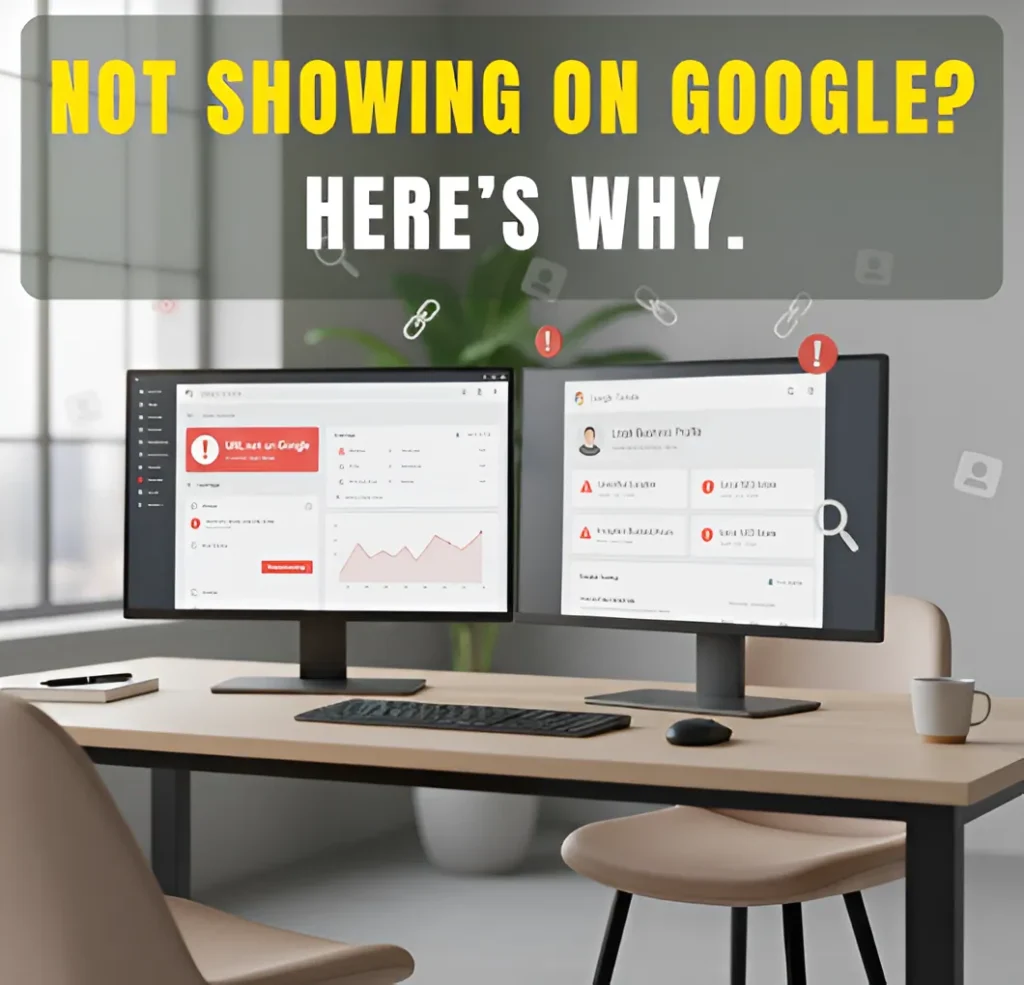
A modern dual-monitor workspace showing Google Search Console errors like “URL not on Google” and local SEO warnings, with bold text saying “Not Showing on Google Here’s Why.”

Why Your Business Isn’t Showing Up on Google and What You Can Do About It

Services Search Engine Optimization (SEO) Google Business Profile Optimization Graphics Design Social Media Marketing My Process FAQs Articles About Contact Services Search Engine Optimization (SEO) Google Business Profile Optimization Graphics Design Social Media Marketing My Process FAQs Articles About Contact Wanna Chat?   Google Visibility Issues Why Your Business Isn’t Showing Up on Google and What You Can Do About It Find out why your business isn’t showing up and learn the steps to boost your visibility.   Why Google Isn’t Showing Your Business Yet If your business isn’t showing up on Google, it usually means Google can’t see your website clearly or doesn’t have enough information to list it. This can happen when the site isn’t indexed, the pages aren’t optimized, or a small technical issue is blocking Google without you knowing. These problems are common and can be fixed with the right steps. Once Google can properly find, read, and trust your website, your business has a much better chance of showing up when people search for you. What You’ll Learn in This Guide Your Website Might Not Be Indexed Yet Your Website Might Not Be Indexed Yet Your SEO Basics Are Not in Place Your SEO Basics Are Not in Place Your Google Business Profile Isn’t Optimized Your Google Business Profile Isn’t Optimized You Don’t Have Enough Backlinks or Online Authority You Don’t Have Enough Backlinks or Online Authority Competitors Are Doing More Than You Competitors Are Doing More Than You Technical Issues Are Holding You Back Technical Issues Are Holding You Back Your Content Doesn’t Match Search Intent Your Content Doesn’t Match Search Intent How I Can Help Fix These Problems How I Can Help Fix These Problems Here’s the Bottom Line Here’s the Bottom Line FAQs: Why Your Business Isn’t Showing Up on Google FAQs: Why Your Business Isn’t Showing Up on Google About the Author About the Author Your Website Might Not Be Indexed Yet Google can only show your site if it has added your pages to its list. This list is called the index. If your pages aren’t on that list, they will not appear on Google. Some reasons this happens: ● The website is new.New sites take time for Google to find, especially if there are no links pointing to them yet. ● Google hasn’t visited the pages yet.Google uses “crawlers” to visit websites. If they haven’t reached your site, your pages won’t appear. ● No other sites link to you.Links help Google discover new pages. Without them, Google may not know your site exists. ● A setting on your site blocks Google without you knowing.Sometimes a simple setting, like a “noindex” tag or a robots.txt rule, can stop Google from seeing your pages. You can check this in Google Search Console by putting your page link in the inspection tool. It will tell you if the page is indexed and if Google ran into any problems. If it’s not indexed, you can: ● Press “Request Indexing.”This asks Google to take another look at your page. ● Fix the errors Google shows.Search Console will tell you what went wrong so you can correct it. ● Add or update your sitemap.A sitemap helps Google find all your important pages in one place. ● Remove any block that stops Google from reading the page.This includes removing “noindex” tags or fixing your robots.txt file When Google can reach your pages clearly, you have a much better chance of showing up in search. Your SEO Basics Are Not in Place Google needs clear signals to understand your website. If these basic parts are missing, Google may not know when to show your pages in search. Some common problems are: ● The page doesn’t use the right keywords.If the words on your page don’t match what people type on Google, your site won’t appear for those searches. ● Weak or missing title tags and descriptions.These are the small texts Google reads first. If they’re unclear, Google struggles to know what your page is about. ● Content that is too short or not clear.Pages with very little information make it hard for Google to understand the topic, so it may choose another website with more helpful content. ● Pages that don’t link to each other.Internal links help Google move around your site. Without them, Google may miss important pages. ● A slow-loading website.Slow pages make users leave quickly. Google notices this and may lower your visibility. ● A site that doesn’t work well on phones.Most people search on mobile. If your site is hard to use on a phone, Google may show other sites instead. Fixing these basics helps Google understand your pages better and increases your chances of showing up when people search for your services. Your Google Business Profile Isn’t Optimized If you want people in your area to find you, your Google Business Profile is important. This is the profile that shows your name, address, hours, reviews, and photos. When it’s not complete or updated, Google may not show your business in local results. Here are some simple issues that can hold it back: ● Missing details.If your hours, address, or services are not filled in, Google doesn’t get the full picture of your business. ● Wrong category.If you choose the wrong category, Google may not match you to the right searches. ● Not enough reviews.Having only a few reviews makes your profile look quiet. Google prefers profiles with steady, real activity. ● No new photos or posts.Google likes to see signs that a business is active. A profile with no updates can look outdated. You can fix this by filling out all the details, using the right category, asking happy customers for reviews, and sharing simple updates or photos. These small steps tell Google that your business is real, active, and worth showing in local searches. You Don’t Have Enough Backlinks or Online Authority Google likes to show websites it trusts. One way Google builds this trust is through backlinks. A backlink

Why Your Business Isn’t Showing Up on Google and What You Can Do About It Read More »

Person using AI tools to create, refine, and finalize a futuristic cityscape on a computer.

How to Make Images Using AI: Easy Workflow for Stunning Results

Services Search Engine Optimization (SEO) Google Business Profile Optimization Graphics Design Social Media Marketing My Process FAQs Articles About Contact Services Search Engine Optimization (SEO) Google Business Profile Optimization Graphics Design Social Media Marketing My Process FAQs Articles About Contact Wanna Chat?   AI’s Impact on Image Creation How to Make Images Fast with AI and Smart Design Techniques Learn how to use AI tools to create effective visuals quickly and efficiently.   What This Guide Will Teach You (Quick Summary) When you need images quickly, the process can feel slow or overwhelming, especially if you’re not used to design tools. This guide breaks everything down in a way that’s easy to follow. You’ll see how I combine a few tools, ChatGPT, Gemini, Canva, Picsart, and sometimes Photoshop, to turn a simple idea into a clean, ready-to-use image. Think of this as a behind-the-scenes look at the process I use every day. You’ll learn how each step fits together, why this workflow saves so much time, and how it helps produce images that look polished instead of rushed. And if you ever decide you want someone to create these images for you, this will give you a good idea of the system I use to make everything fast and consistent. What You’ll Learn in This Guide Understanding the Fast AI Image Workflow Understanding the Fast AI Image Workflow Step 1: Clarify Your Image Concept Quickly Step 1: Clarify Your Image Concept Quickly Step 2: Use ChatGPT to Create Better Prompts Fast Step 2: Use ChatGPT to Create Better Prompts Fast Step 3: Generate Fast Images with Gemini Step 3: Generate Fast Images with Gemini Step 4: Enhance Your Images with Smart Design Tools Step 4: Enhance Your Images with Smart Design Tools Visual Workflow: From Prompt to Final Image Visual Workflow: From Prompt to Final Image Fast Techniques to Make AI Images Look Clean & Realistic Fast Techniques to Make AI Images Look Clean & Realistic How I Can Help with Your AI Image Needs How I Can Help with Your AI Image Needs Final Thoughts Final Thoughts Frequently Asked Questions About Making AI Images Frequently Asked Questions About Making AI Images About the Author About the Author Understanding the Fast AI Image Workflow Let me keep this simple. When I make images fast with AI, the whole process basically comes down to a few moving parts working together. Nothing technical, just a clear flow that saves time. Here’s the idea behind it: ● AI turns descriptions into images.You tell it what you want, and it gives you a starting point instead of making you build everything by hand. ● ChatGPT helps shape the description.If the idea is still rough, I run it through ChatGPT so the prompt is clearer and easier for the AI to follow. ● Gemini creates the first batch of images.It gives me a handful of options right away, which makes choosing a direction much faster. ● The design tools take care of the small fixes.Canva for quick adjustments, Picsart for touch-ups, and Photoshop if something needs a bit more polish. It’s fast because the AI does the heavy lifting, and the design tools help clean things up so the final image actually looks usable. Step 1: Clarify Your Image Concept Quickly Before generating anything, I take a moment to get the idea straight. It only takes a minute, but it keeps the AI from guessing and saves time later. Here’s what I usually sort out: ● What the image is for.A social post, blog header, or ad each needs a different kind of layout and focus, so knowing the purpose helps shape the result. ● The vibe or style.Bright, clean, minimal, dramatic, whatever fits the project. A quick decision here makes the AI’s first try much closer to what I want. ● The setting or background.Indoor, outdoor, simple backdrop, event setting, even a small hint about the environment helps guide the AI in the right direction. ● Basic colors or mood.Warm, cool, neutral, just enough direction so the image feels intentional rather than random. This step is simple, but it makes everything after it smoother and faster. Step 2: Use ChatGPT to Create Better Prompts Fast Once I know what kind of image I’m aiming for, I let ChatGPT help me with the wording. Writing a detailed prompt from scratch can take longer than people expect, so instead of trying to phrase everything perfectly, I give ChatGPT the basic idea and let it shape it into something clearer. Here’s why I use it: ● It makes the prompt easier to understand, which helps the AI stay on track. ● It naturally fills in small details, like lighting or the overall mood. ● It cuts down on retries, because the first prompt is already specific enough. For example, if someone tells me, “I need a clean image of a swinging door in a church hallway,” the idea is good, but it’s not enough for an AI tool to understand the scene. So I pass that to ChatGPT. It usually turns it into something like: “A realistic swinging door inside a quiet church hallway with soft, warm lighting, clean walls, and a simple background.” If I feel the image needs a more polished look, I can ask ChatGPT to add things like the camera angle, the texture of the door, or the overall mood. By the time the prompt is ready, Gemini has a much clearer picture of what I want, which helps it produce better options right away. Step 3: Generate Fast Images with Gemini Once the prompt is ready, I bring it into Gemini. Before pasting it, I sometimes add a small detail or two, like the lighting or the background, just to make sure the AI understands the look I’m going for. Here’s how I usually handle this part: ● I add small details to the prompt if needed.Simple things like “soft lighting” or “clean background” help guide the AI better. ● I

How to Make Images Using AI: Easy Workflow for Stunning Results Read More »

A modern office workspace with a futuristic AI-driven SEO dashboard, featuring data visualizations and analytics, with a city skyline in the background.

How AI Is Reshaping SEO in 2026 and What Your Business Must Do Now

Services Search Engine Optimization (SEO) Google Business Profile Optimization Graphics Design Social Media Marketing My Process FAQs Articles About Contact Services Search Engine Optimization (SEO) Google Business Profile Optimization Graphics Design Social Media Marketing My Process FAQs Articles About Contact Wanna Chat?   AI’s Impact on SEO How AI Is Reshaping SEO in 2026 and What Your Business Must Do Now Learn the new SEO strategies to stay visible as AI transforms search behavior.   Why SEO Works Differently Today AI has changed the way people discover information online. When someone searches today, they don’t just get a list of links anymore. AI helps interpret the question, sort through the options, and point them toward what feels most helpful. Because of that shift, websites are no longer competing only for rankings. They’re competing to be understood, trusted, and selected by AI systems. In this article, we’ll look at how this new search behavior works and what you can do to keep your content visible in 2026. What You’ll Learn in This Guide AI as the New Filter Layer AI as the New Filter Layer High-Quality Volume Matters High-Quality Volume Matters AI Citations Equal Higher-Intent Traffic AI Citations Equal Higher-Intent Traffic Searches Are Longer & More Contextual Searches Are Longer & More Contextual Brand Reputation Inside AI Models Brand Reputation Inside AI Models Depth Is the New Currency Depth Is the New Currency Attribute-Level Content Paths Attribute-Level Content Paths Responsible AI + Human-Level Writing Responsible AI + Human-Level Writing Why You Need to Hire Me for Your SEO Needs Why You Need to Hire Me for Your SEO Needs Final Takeaway Final Takeaway FAQs: How AI Is Reshaping SEO in 2026 FAQs: How AI Is Reshaping SEO in 2026 About the Author About the Author AI as the New Filter Layer Today, AI is the first step in helping people find the best information online. Instead of showing a long list of links, AI narrows it down to the most helpful ones. Here’s why that matters for your business: ● AI Wants Clear AnswersAI checks if your content answers questions clearly. If your page gives a simple, direct answer, AI will likely show it to users. So, keep your answers clear and focused on what your audience is asking. ● AI Highlights Key PointsPeople want quick answers, so AI finds the key details in your content. Use headings, bullet points, and short paragraphs to make it easy for both AI and users to get the main points fast. ● AI Prefers Reliable, Complete ContentAI favors pages that are thorough and trustworthy. To stand out, make sure your content is well-organized and provides enough value to answer the user’s question fully. In short, make your content easy for both AI and real people to understand. The clearer and more helpful your page, the better it will perform in search results. High-Quality Volume Matters One noticeable change in SEO today is how much content a site needs to stay competitive. AI-driven search doesn’t just look for a single good page anymore, it looks for brands that cover their field from many angles. This doesn’t mean you need to publish every day. It simply means having enough good content for AI to see what your site is really about. A few things help with that: ● Cover the main questions people usually ask in your niche. ● Add supporting pieces that connect naturally to each other. ● Keep the quality steady so your content feels reliable over time. Together, these updates made SEO stricter and more focused on producing clear, genuinely useful information AI Citations Equal Higher-Intent Traffic One major change in how search works today is how AI introduces a topic before users even click a link. AI now helps guide users by giving them a preview of the content they’ll find. Instead of just showing a list of links, AI summarizes the topic and helps users narrow down what they’re looking for. When your page is mentioned as a source by AI, the user already has a better idea of what they’re searching for. They’re coming in with clearer intent, meaning they know what they want, which leads to better engagement on your site. To get cited by AI, it’s crucial to make your content easy to understand and factually solid. AI wants to pull information from pages that are clear and reliable.  So, make sure your content answers questions directly and is well-organized, so AI can confidently recommend it to users. Searches Are Longer & More Contextual With AI, people’s searches are getting longer and more specific. Instead of typing just a few words like “roof leak,” they now ask full questions, like they’re talking to a friend. They give more details because they want better answers. Here’s what’s happening: ● People ask questions like they’re talking to a friend. Instead of just “roof leak,” someone might ask, “My roof leaked after days of rain. What should I do now?” ● They add more details to get better answers. For example, “How do I fix a roof leak after a storm?” ● They explain their situation, not just the topic. Instead of searching “roof leak,” they might ask, “How can I tell if my roof needs fixing after heavy rain?” For businesses, this means you should create content that answers these detailed questions. Instead of just targeting “roof leak,” try answering questions like, “What should I check if my roof leaks after a storm?” Brand Reputation Inside AI Models AI can form an opinion about your brand just from the way your content is written. Think about it this way: when your content is clear, simple, and easy to read, AI sees you as confident and trustworthy. It’s like when people talk to you, if you’re straightforward and clear, they trust what you’re saying. But if your content is messy or hard to follow, AI picks up on that too. It can tell when the message isn’t clear or when

How AI Is Reshaping SEO in 2026 and What Your Business Must Do Now Read More »

Realistic 3D digital workspace showcasing AI-driven SEO tools, algorithm visuals, and futuristic search data elements designed to illustrate how SEO evolves with artificial intelligence.

How SEO Has Evolved with AI (What You Need to Know in 2026)

Services Search Engine Optimization (SEO) Google Business Profile Optimization Graphics Design Social Media Marketing My Process FAQs About Contact Services Search Engine Optimization (SEO) Google Business Profile Optimization Graphics Design Social Media Marketing My Process FAQs About Contact Wanna Chat?   SEO That Adapts to Change How SEO Has Evolved with AI (What You Need to Know in 2026) SEO is changing fast, especially with AI shaping how we search. Why SEO Works Differently Today SEO isn’t the same as it used to be. The way people search has changed, and Google has adapted to it. Instead of typing short phrases, many now ask full questions or explain their situation, and search engines use AI to understand what they really need. That shift means old strategies don’t work as well anymore. To stay visible today, websites need content that’s clear, helpful, and built around real search intent. In this article, you’ll see how SEO has evolved and what matters most if you want to stay competitive in 2026. What You’ll Learn in This Guide What SEO Looked Like Years Ago What SEO Looked Like Years Ago How Google’s Algorithm Forced SEO to Mature How Google’s Algorithm Forced SEO to Mature Why Search Intent and User Experience Matter More Today Why Search Intent and User Experience Matter More Today How AI Changed the Way People Search How AI Changed the Way People Search Why Search Engines Now Prefer Deeper, More Complete Content Why Search Engines Now Prefer Deeper, More Complete Content What’s Coming in SEO: Updates to Expect in 2026 What’s Coming in SEO: Updates to Expect in 2026 What No Longer Works in SEO What No Longer Works in SEO What Works Now: Modern SEO Best Practices What Works Now: Modern SEO Best Practices Action Plan for 2026 Action Plan for 2026 Why Hire an SEO Expert Who’s Always Up-to-Date? Why Hire an SEO Expert Who’s Always Up-to-Date? Wrapping Up: The Future of SEO Wrapping Up: The Future of SEO Frequently Asked Questions About SEO Frequently Asked Questions About SEO About the Author About the Author What SEO Looked Like Years Ago There was a time when ranking on Google didn’t take much. Many websites got ahead by repeating the same keyword again and again. It didn’t sound good, but it worked. Having a domain that perfectly matched a search phrase also gave an instant boost. People even traded links back and forth simply to raise their numbers, not because the content was useful. Google wasn’t as sharp then, so these shortcuts slipped through. That’s why low-quality pages often ended up on top. Things are very different now. Google looks at meaning, clarity, and real usefulness, not tricks or old habits. How Google’s Algorithm Forced SEO to Mature Google’s major updates were what pushed SEO away from quick tricks and toward real quality. Each update targeted a common problem: ▪️Panda lowered the visibility of thin, repetitive, or copied content. ▪️Penguin went after unnatural links, including link buying and mass link swaps. ▪️Hummingbird helped Google read the meaning behind a search instead of relying on exact keywords. ▪️RankBrain used machine learning to understand confusing or uncommon queries. ▪️Helpful Content rewarded pages written to guide readers, not to manipulate rankings. Together, these updates made SEO stricter and more focused on producing clear, genuinely useful information Why Search Intent and User Experience Matter More Today Google’s approach to ranking pages changed once people began searching in more natural, conversation-like ways. Instead of focusing only on keywords, Google now looks at what a person is genuinely trying to find. A few big shifts pushed this change forward: ▪️Search intent became more important than exact-match phrases. ▪️Mobile-first indexing made the mobile version of your site the primary version Google evaluates. ▪️Core Web Vitals pushed sites to load faster and feel more stable on all devices. ▪️Overall, UX became a ranking signal, rewarding pages that feel smooth and easy to use. These updates moved SEO toward user-first, not trick-first, strategies. How AI Changed the Way People Search A big shift in SEO happened when people started using search engines the same way they talk to tools like ChatGPT. Instead of short keywords, they now type full questions or describe their situation in detail. To handle this change, Google relies more on Large Language Models (LLMs) to understand longer, more natural searches and figure out what someone is really trying to ask. Google’s AI Overviews added another layer on top of that. People often see a quick summary before they even click a result. This raised the standard for content. Pages that explain topics clearly, answer related questions, and give enough depth are more likely to be recognized by LLMs and more likely to earn the click. Why Search Engines Now Prefer Deeper, More Complete Content One of the biggest shifts in SEO today is the push toward content that actually explains things well. Quick summaries aren’t enough anymore. People want real answers, and LLMs need enough detail to understand what a page is trying to teach. A few things now matter far more than they used to: ▪️EEAT — experience, expertise, authority, and trust ▪️Clear explanations that go beyond surface-level points ▪️Topic clusters that cover a subject from different angles ▪️Content that feels reliable, not rushed or written for keywords alone These aren’t technical requirements. They simply show up when a topic is explained with real knowledge and genuine intent to help. Topic completeness also plays a part. When a website builds guides, FAQs, comparisons, and how-to pieces around the same subject, it becomes easier for search engines to see it as a strong source. In short, deeper content isn’t about writing more words. It’s about giving both readers and LLMs enough clarity and substance to trust your page over others.   What’s Coming in SEO: Updates to Expect in 2026 SEO is constantly changing, and 2026 will be no different. Here’s what businesses need to be ready for: ▪️AI-driven results: Search engines will get

How SEO Has Evolved with AI (What You Need to Know in 2026) Read More »