Harvie Ken Colonia

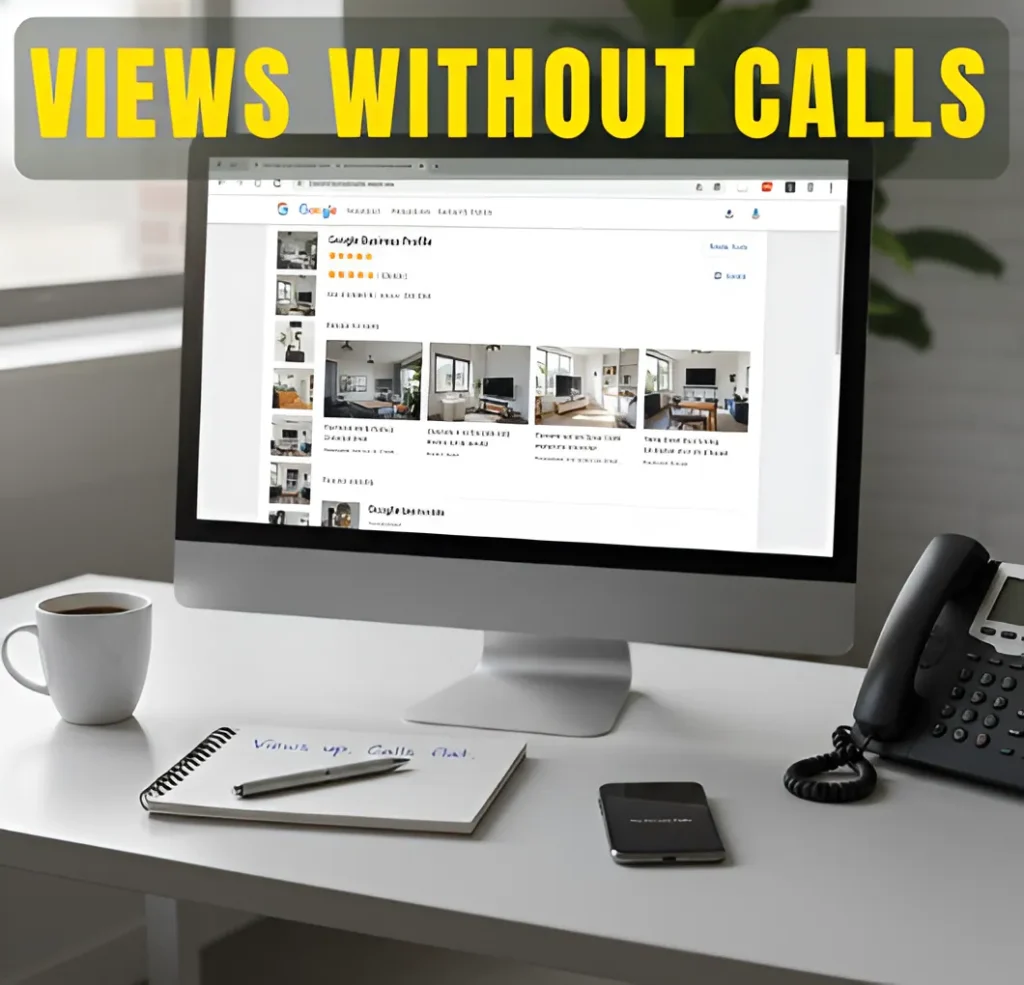
Google Business Profile displayed on desktop monitor with views increasing but no calls in office setting

Why Your Google Business Profile Gets Views but No Calls

Services Search Engine Optimization (SEO) Google Business Profile Optimization Graphics Design Social Media Marketing My Process FAQs Articles About Contact Services Search Engine Optimization (SEO) Google Business Profile Optimization Graphics Design Social Media Marketing My Process FAQs Articles About Contact Wanna Chat?   Visibility vs Conversion Why Your Google Business Profile Gets Views but No Calls Views mean you’re showing up. Calls mean you’re being trusted. There’s a difference.   The Gap Between Being Seen and Being Chosen Yes. Updating content can help SEO rankings. But only if the update actually improves the page. Changing the date or adding a few sentences usually does nothing. Search engines care more about whether the page answers the question better than before. If an update makes the content clearer, more accurate, or easier to read, it can help the page show up more in search results. This often means fixing outdated info, tightening the topic, or improving how the page is structured. That small gap between being seen and being chosen is where most local leads are lost. What You’ll Learn in This Guide Views Are Not the Same as Buyer Intent Views Are Not the Same as Buyer Intent How Google Maps Users Actually Decide Who to Call How Google Maps Users Actually Decide Who to Call You’re Showing Up for the Wrong Searches You’re Showing Up for the Wrong Searches Your Profile Doesn’t Build Instant Trust Your Profile Doesn’t Build Instant Trust Service Clarity and Positioning Are Weak Service Clarity and Positioning Are Weak Inactivity Quietly Reduces Confidence Inactivity Quietly Reduces Confidence The Hidden Conversion Gaps Most Businesses Never Audit The Hidden Conversion Gaps Most Businesses Never Audit How I Help Turn Views Into Calls How I Help Turn Views Into Calls Visibility Is Easy. Conversion Is Strategy Visibility Is Easy. Conversion Is Strategy Frequently Asked Questions Frequently Asked Questions About the Author About the Author Views Are Not the Same as Buyer Intent A lot of business owners look at their Google Business Profile views and think, “If people are seeing me, why aren’t they calling?” The problem is simple. Not every view comes from someone ready to hire. Some of those views come from people who are just researching. Others are comparing options. Some are not even serious yet. Here’s where many views actually come from: ● People checking prices before they’re ready to commit Searches like “how much does HVAC repair cost” or “roof replacement price” usually mean someone is still gathering information. They’ll click a few profiles, maybe even yours, but they’re not at the decision stage yet. ● People opening multiple listings at once It’s common to see three or four businesses open in separate tabs. You get the view. So do your competitors. The call goes to whoever feels clearer and more reliable. ● People verifying details, not hiring Someone might look up your address, hours, or phone number without any intention of becoming a new customer. That still counts as a profile view. ● Broad searches that only partially match what you do If your categories are too wide, Google may show your profile for searches that don’t fully match your services. That boosts visibility but brings the wrong kind of traffic. ● People who are “almost” ready but not today Some users see your profile multiple times over weeks before making a move. Those impressions stack up, but they don’t always turn into immediate calls. So when your Google Business Profile gets views but no calls, it doesn’t automatically mean something is broken. It may just mean the traffic looks better on paper than it actually is. How Google Maps Users Actually Decide Who to Call When someone searches on Google Maps, they don’t read every word on your profile. They move fast. They click a few businesses, look around, and make a choice. Most of the time, the decision is simple. They pick the one that feels right. ● They open more than one listing It’s normal to open two or three options. You may get the view, but so do others. The call goes to the one that looks clearer or more put together. ● They look at reviews first Before anything else, they scroll down. They check the star rating. They look at how recent the reviews are. If the last review was months ago and another business has fresh ones, that makes a difference. ● They check the photos quickly They don’t study them. They just look. Real photos of your work or team help. Blurry or random photos don’t. People judge quality fast. ● They look for anything that feels off Old info. No replies to reviews. Missing details. If something looks unfinished or confusing, they move on without thinking much about it. This whole thing happens in seconds. They are not trying to find the best SEO. They just want to feel sure about who they’re calling. And if another business feels more solid, even by a little, that’s where the call goes. You’re Showing Up for the Wrong Searches Sometimes the issue isn’t that people won’t call. It’s that the people seeing your Google Business Profile were never going to call in the first place. This happens more often than most business owners realize. ● Your main category is slightly off Google depends heavily on your primary category. If it’s too broad or not exactly what you specialize in, your profile can appear in searches that don’t really match what you want to sell. That brings views, but not the right kind of views. ● Your services are listed too generally If your service list is vague, Google connects you to wider search terms. For example, listing “home services” instead of a specific service can attract people who are just browsing or comparing, not hiring. ● You’re trying to cover too much Some profiles try to rank for every service and every nearby area. That increases exposure, but it weakens focus. You end up being

Why Your Google Business Profile Gets Views but No Calls Read More »
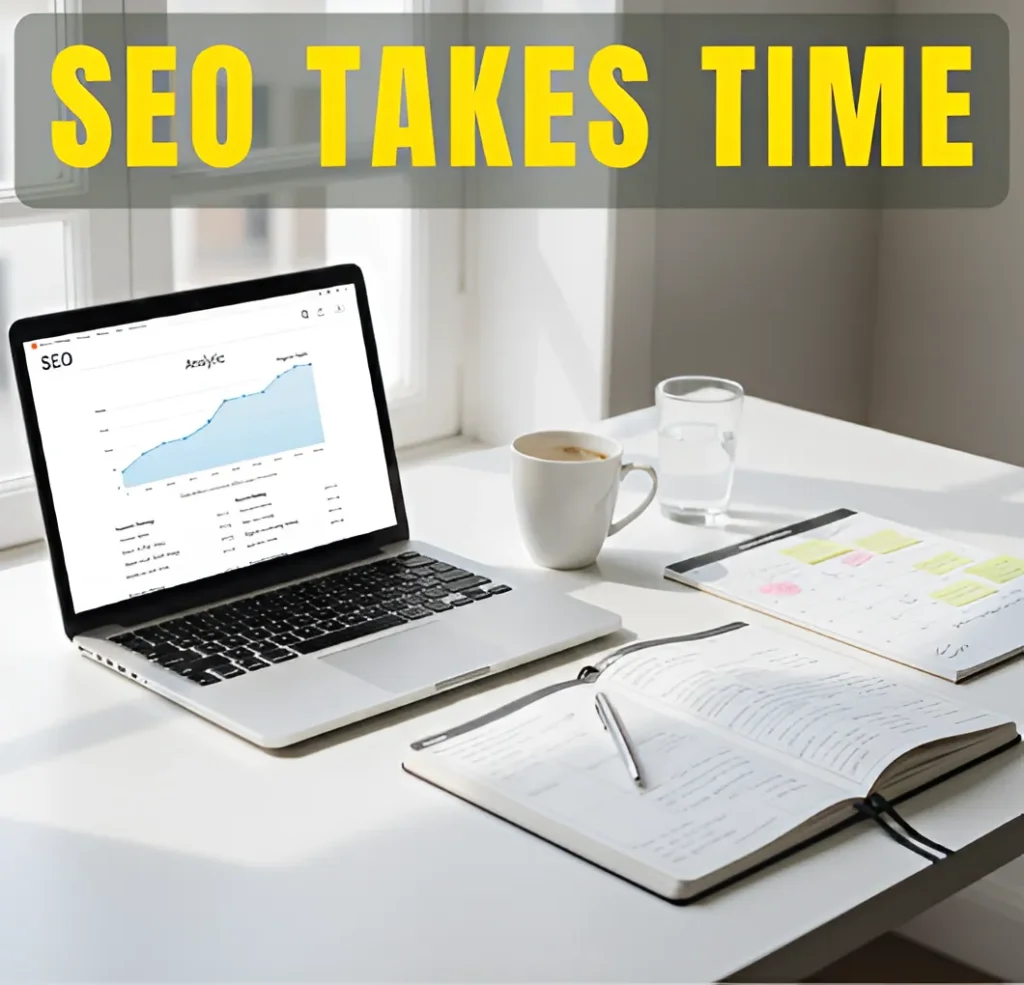
Laptop showing SEO performance charts on a desk near a window with the headline “SEO Takes Time,” representing steady long-term organic growth.

How Long SEO Really Takes After the First 6 Months

Services Search Engine Optimization (SEO) Google Business Profile Optimization Graphics Design Social Media Marketing My Process FAQs Articles About Contact Services Search Engine Optimization (SEO) Google Business Profile Optimization Graphics Design Social Media Marketing My Process FAQs Articles About Contact Wanna Chat?   SEO After the First 6 Months How Long SEO Really Takes After the First 6 Months If SEO feels quiet after six months, here’s what’s actually going on.   Short Answer: Do Content Updates Help SEO Rankings? Yes. Updating content can help SEO rankings. But only if the update actually improves the page. Changing the date or adding a few sentences usually does nothing. Search engines care more about whether the page answers the question better than before. If an update makes the content clearer, more accurate, or easier to read, it can help the page show up more in search results. This often means fixing outdated info, tightening the topic, or improving how the page is structured. Not every update works. Updating the wrong page or changing parts that already perform well can cancel out any gains. The goal is simple. Improve what matters and leave what already works alone. What You’ll Learn in This Guide What the First 6 Months of SEO Usually Accomplish What the First 6 Months of SEO Usually Accomplish Why SEO Does Not Peak at Month 6 Why SEO Does Not Peak at Month 6 What Real SEO Progress Looks Like After Month 6 What Real SEO Progress Looks Like After Month 6 Factors That Determine How Long SEO Takes Beyond 6 Months Factors That Determine How Long SEO Takes Beyond 6 Months A Realistic SEO Timeline After the First 6 Months A Realistic SEO Timeline After the First 6 Months Common Mistakes That Slow SEO After the First 6 Months Common Mistakes That Slow SEO After the First 6 Months Is It Worth Continuing SEO After the First 6 Months? Is It Worth Continuing SEO After the First 6 Months? How I Help When SEO Feels Stuck After Six Months How I Help When SEO Feels Stuck After Six Months Final Takeaway: SEO Is a Long-Term Growth System Final Takeaway: SEO Is a Long-Term Growth System Frequently Asked Questions Frequently Asked Questions About the Author About the Author What the First 6 Months of SEO Usually Accomplish The first six months of SEO are mostly about getting the site into a state where growth is even possible. It is not the exciting part. It is the part where things are fixed, cleaned up, and aligned so search engines stop getting confused about what the site is trying to rank for. By the end of this phase, most sites usually reach a point where: ● Major technical blockers are no longer in the way Things like broken pages, messy structure, or slow load times are handled. Visitors rarely notice this, but search engines do. If these issues stay unresolved, progress later on is much harder. ● Core pages finally say what they are supposed to say Service or topic pages stop trying to cover everything and instead focus on matching specific searches. This is often when Google starts understanding where the site fits, even if rankings are still unstable. ● Google crawls the site more predictably Pages are indexed more regularly instead of randomly. New content does not disappear as often. This is a quiet change, but it matters. ● Rankings start moving, then pulling back This is where people get nervous. A page jumps up, drops, then comes back. That back-and-forth is Google testing relevance, not a sign something is broken. ● There is finally enough data to make real decisions You can see which pages attract impressions, which keywords almost work, and which ideas are worth pushing further instead of guessing. Once this stage is done, SEO stops being about cleanup and starts being about direction. You are no longer asking “Is anything happening?” You are asking “What do we double down on next?” Why SEO Does Not Peak at Month 6 Month six is usually when doubt kicks in. Not because SEO failed, but because it stopped feeling obvious. Early changes are loud. Later ones are quiet. That shift makes people think progress has stalled when it hasn’t. Here’s what’s actually going on at this stage: ● This is when Google is still deciding if it trusts the site Six months gives Google something to look at, not something to rely on. Trust builds from steady behavior over time, not short bursts of activity. ● Everyone else is still working on their SEO The internet doesn’t pause. If you slow down, you don’t fall behind overnight, but you stop gaining ground. That difference matters more over time than people expect. ● Rankings are still settling into place Pages move because Google is comparing them to real searches, not guesses. Early swings feel stressful, but they’re part of how positions are earned, not lost. ● Each improvement depends on the last one Clean structure helps content. Content supports trust. Trust supports rankings. None of that happens all at once, which is why progress feels uneven before it feels stable. Month six is rarely the high point. For most sites, it’s the point where results stop jumping around and start forming a pattern. That’s when SEO begins to show its real value. What Real SEO Progress Looks Like After Month 6 After month six, SEO rarely looks dramatic. It looks quieter and more consistent. Instead of guessing whether something is happening, you start recognizing small patterns that were not there before. Here are the signs people usually notice first: ● Some rankings finally hold Not everything moves up, but certain pages stop disappearing. A keyword drops, then comes back. That kind of stability usually means Google is starting to trust the page. ● Traffic starts coming from very specific searches These are longer phrases, not big headline keywords. The numbers are small, but the intent is clear. This is

How Long SEO Really Takes After the First 6 Months Read More »

Desktop workspace showing a computer screen with an article about on-page SEO, representing a practical guide to understanding how pages are optimized.

What On-Page SEO Actually Includes (And What It Doesn’t)

Services Search Engine Optimization (SEO) Google Business Profile Optimization Graphics Design Social Media Marketing My Process FAQs Articles About Contact Services Search Engine Optimization (SEO) Google Business Profile Optimization Graphics Design Social Media Marketing My Process FAQs Articles About Contact Wanna Chat?   Understanding On-Page SEO What On-Page SEO Actually Includes (And What It Doesn’t) Learn what you can fix on a page, what you can’t, and where on-page SEO really fits.   Quick Answer: What On-Page SEO Really Means When someone searches for something on Google and clicks a page, on-page SEO is what helps that page make sense to both the visitor and the search engine. In simple terms, on-page SEO is the work done directly on a page to explain what it is about, who it is for, and why it should show up for a specific search. This includes the content, the headings, how information is laid out, and how clearly the topic is communicated. The reason on-page SEO matters is because Google cannot guess intent. It relies on the signals you give it on the page itself. When those signals are clear, the page has a much better chance of ranking and converting visitors once they arrive. What on-page SEO controls are the things you can actually change on a page. What it does not control are outside factors like backlinks, server setup, or paid ads, which fall into other areas of SEO. What You’ll Learn in This Guide The Real Goal of On-Page SEO The Real Goal of On-Page SEO Content and Keyword Optimization Content and Keyword Optimization Title Tags, Meta Descriptions, and Headings Title Tags, Meta Descriptions, and Headings URL Structure and Internal Linking URL Structure and Internal Linking Image Optimization and Page Experience Image Optimization and Page Experience What On-Page SEO Does NOT Include What On-Page SEO Does NOT Include Common On-Page SEO Mistakes That Hold Pages Back Common On-Page SEO Mistakes That Hold Pages Back How I Help Clean Up On-Page SEO That Isn’t Working How I Help Clean Up On-Page SEO That Isn’t Working Final Thoughts: On-Page SEO Is About Clarity, Not Tricks Final Thoughts: On-Page SEO Is About Clarity, Not Tricks Frequently Asked Questions Frequently Asked Questions About the Author About the Author The Real Goal of On-Page SEO The real goal of on-page SEO is not to please an algorithm. It is to make sure a page makes sense the moment someone lands on it. If a visitor has to stop and figure out what the page is about, something is already wrong. When on-page SEO is done well, three things usually happen: ● The topic is obvious right away A good page does not make people guess. The main idea is clear from the headline, the opening lines, and the way the page is laid out. This is where many pages fail. They try to cover too much and end up feeling unfocused. ● The content matches the search Ranking is not about mentioning keywords. It is about answering the reason someone searched in the first place. Pages struggle when they talk around the topic instead of addressing it directly. ● The page is easy to move through People scan before they read. If they cannot quickly find what they need, they leave. Clear headings, short sections, and a logical flow matter more than most people realize. When these basics are in place, the page works harder for you. It ranks more consistently, keeps visitors around longer, and converts better without relying on tricks. On-page SEO is less about optimization tactics and more about making pages that feel clear and intentional. Content and Keyword Optimization Most pages that struggle with rankings do not fail because they lack keywords. They fail because the content does not match what people actually searched for. Content and keyword optimization is about lining those two things up. Here is what that looks like in practice: ● The page matches the search intent Before anything else, the content needs to fit the reason behind the search. If someone is looking for an answer and the page reads like a sales pitch, they leave. If they are looking for a service and the page stays vague, it also fails. Intent mismatch is one of the most common problems. ● Keywords fit naturally into the page Keywords should feel like they belong there. They show up in headings, important sections, and places where they make sense. When keywords start to feel forced, the content usually becomes harder to read and less effective. ● The content is worth reading Useful content gets to the point. It answers real questions and stays focused on the topic. Pages that add filler just to sound longer often lose trust and attention. When content is built around intent first and keywords second, the page feels clear instead of optimized. That clarity is what helps pages rank and convert at the same time. Title Tags, Meta Descriptions, and Headings A lot of pages do not have a ranking problem. They have a labeling problem. The content might be solid, but the page does not clearly explain itself in search results or on the page. These three elements are usually where that happens. ● Title tags This is the first thing people see in Google. If the title is vague, too long, or stuffed with keywords, people skip it. Google may also rewrite it, which is usually a bad sign. ● Meta descriptions These decide clicks. Not rankings. A good description sets expectations. A bad one confuses people or says nothing useful, so they choose another result instead. ● Headings (H1–H3) Headings are for real people, not just SEO. One clear H1 should explain the page. The rest should help someone scan and find answers fast. When headings repeat or feel generic, the page becomes harder to use. When these are done right, the page gets more clicks and keeps people reading. When they are off, even strong content struggles to

What On-Page SEO Actually Includes (And What It Doesn’t) Read More »

Laptop on a desk displaying website analytics with the message “Traffic is growing, but leads are not” highlighting a gap between traffic and conversions

Why Website Traffic Increases but Leads Stay the Same

Services Search Engine Optimization (SEO) Google Business Profile Optimization Graphics Design Social Media Marketing My Process FAQs Articles About Contact Services Search Engine Optimization (SEO) Google Business Profile Optimization Graphics Design Social Media Marketing My Process FAQs Articles About Contact Wanna Chat?   Turning Traffic Into Leads Why Website Traffic Increases but Leads Stay the Same Your traffic is growing, but your leads are not. Here’s what’s usually getting in the way.   Why More Traffic Doesn’t Automatically Mean More Leads A lot of business owners see their website traffic go up and think leads should follow. That makes sense. More people visiting should mean more calls or messages. But that is not always how it works. Traffic only shows that people are landing on your site. It does not mean they are ready to reach out. Some visitors are just looking around. Others are not sure what you do. Some do not see a clear reason to take the next step. This often happens when traffic grows faster than the website itself. Your site may get more views, but the message stays the same. The page may explain things, but it does not guide people. The next step is not clear, or it feels easy to ignore. That is why traffic can increase while leads stay the same. The visitors are there. The connection is not. What You’ll Learn in This Guide Website traffic vs leads Website traffic vs leads Why visitors are not becoming leads Why visitors are not becoming leads Is the problem your traffic or your website? Is the problem your traffic or your website? Why helpful content alone does not generate leads Why helpful content alone does not generate leads How to turn website traffic into leads How to turn website traffic into leads How I can help you get more from the traffic you already have How I can help you get more from the traffic you already have What to do next What to do next Final thoughts Final thoughts Frequently Asked Questions Frequently Asked Questions About the Author About the Author Website Traffic Vs Leads Website traffic is a number you see in your analytics. It tells you how many people showed up. Leads are different. A lead only happens when someone reaches out. That might be a call, a form, or a message. One shows activity. The other shows intent. ● Traffic measures attention Most traffic comes from quick moments. Someone clicks a link, scrolls a little, and leaves. That still counts as a visit, even if they did not really engage. ● Leads measure decision When someone becomes a lead, they have made a small decision. They paused, thought about it, and chose to contact you instead of moving on. ● Traffic shows interest Interest can be light. People may like the topic or want answers, but that does not mean they are looking to hire yet. ● Leads show readiness A lead usually comes from someone who feels closer to taking action. They may still have questions, but they are no longer just browsing. ● Traffic is passive Visitors can read without effort. They do not have to commit to anything. If nothing pushes them forward, they simply leave. ● Leads require action Reaching out takes more than interest. It takes clarity and trust. If a page does not make that step feel easy or safe, people hesitate. That gap is why traffic can keep rising while leads stay flat. More people arrive, but fewer people feel comfortable or motivated enough to take the next step. Why Visitors Are Not Becoming Leads When visitors do not turn into leads, it is usually not one big problem. It is a few small things working against you at the same time. None of them feel serious on their own, but together they stop people from taking action. ● The page feels tiring to use This happens more than people realize. The page might load a little slow, look crowded, or feel awkward on a phone. Nothing looks broken, but it does not feel easy either. When a page feels like work, people leave. ● It is not clear what you actually do Many pages explain a lot but still leave visitors unsure. They scroll, read, and think, “Okay, but what exactly is this company helping me with?” That moment of doubt is usually where interest drops. ● People are left to figure out the next step A lot of sites assume visitors will just know what to do. They will not. If there is no clear button or simple direction, most people stop and move on. ● The call to action does not feel worth clicking Buttons that say things like “Learn More” or “Submit” feel safe, but also easy to ignore. They do not give visitors a reason to act right now. ● There is no reason to act today Even interested visitors delay when nothing pushes them forward. If the page does not answer why reaching out now matters, the decision gets postponed and usually forgotten. ● Everything sounds the same as other sites When a page feels generic, visitors keep comparing. They leave to check another site, then another. Confidence never builds enough to choose. These problems do not mean your traffic is wrong. They mean the page is not doing enough to help visitors feel comfortable, confident, and ready. That hesitation is often the real reason leads stay flat. Is the Problem Your Traffic or Your Website? When leads are not coming in, most people blame traffic first. That is not always right. The answer usually shows up in what visitors do after they land on the page. Sometimes the traffic is the issue. People click, stay for a moment, then leave. They were never really looking for your service. They just ended up there. Other times, people stay. They scroll. They read. They look around. But they do not contact you. When that happens, the

Why Website Traffic Increases but Leads Stay the Same Read More »

Laptop on a clean office desk showing a blog post being updated to improve SEO rankings and search visibility

How Many Pages Does a Small Business Website Need to Rank?

Services Search Engine Optimization (SEO) Google Business Profile Optimization Graphics Design Social Media Marketing My Process FAQs Articles About Contact Services Search Engine Optimization (SEO) Google Business Profile Optimization Graphics Design Social Media Marketing My Process FAQs Articles About Contact Wanna Chat?   Small Business SEO Basics How Many Pages Does a Small Business Website Need to Rank? Find out whether you need more pages or just better ones to rank on Google.   The Short Answer (For Busy Business Owners) Most small business websites can rank on Google with about 5 to 10 pages. That may sound low, but it is true. Many small businesses rank with sites that size every day. You do not need a large website just to be taken seriously by Google. What matters more is what each page is about and whether it helps the person searching. A page should answer a clear question or explain a clear service. If it does not, it usually does not help your rankings. A smaller site with clear service pages often performs better than a bigger site filled with extra pages that overlap or never get traffic. If you are trying to decide whether to add more pages or fix the ones you already have, start with what you have. In most cases, strong pages come before more pages. What You’ll Learn in This Guide Why Page Count Alone Does Not Determine Rankings Why Page Count Alone Does Not Determine Rankings The Core Pages Every Small Business Website Needs The Core Pages Every Small Business Website Needs Pages You Probably Do Not Need at the Start Pages You Probably Do Not Need at the Start How Many Pages Is Ideal for Most Small Businesses? How Many Pages Is Ideal for Most Small Businesses? Quality Over Quantity (Why Fewer Strong Pages Win) Quality Over Quantity (Why Fewer Strong Pages Win) When Adding More Pages Actually Helps SEO When Adding More Pages Actually Helps SEO Common Mistakes That Prevent Websites from Ranking Common Mistakes That Prevent Websites from Ranking How I Can Help You Decide What Your Website Actually Needs How I Can Help You Decide What Your Website Actually Needs Where to Go From Here Where to Go From Here Frequently Asked Questions Frequently Asked Questions About the Author About the Author Why Page Count Alone Does Not Determine Rankings Google does not rank entire websites. It ranks pages. Each page stands on its own and is judged by how well it fits a search. That is why a small site with a few solid pages can outrank a much larger site that is spread thin. When Google looks at a page, it cares about a few basic things. ● Does the page line up with the search? If someone searches for a specific service, Google wants a page that clearly talks about that service. Not a general page. Not a mixed page. A clear one. Pages that try to cover too many topics usually do not rank well. ● Is it obvious what the page is about? A visitor should not have to scroll or guess. Within a few seconds, they should know what the page offers. If people land on a page and feel unsure, they leave. That tells Google the page is not a good match. ● Does the page actually explain things clearly? Strong pages answer common questions and explain the service in plain language. They do not try to sound impressive. They try to be useful. Pages that feel vague or incomplete rarely hold rankings for long. ● Is there a clear next step? Good pages guide people. Call. Book. Learn more. When visitors know what to do next, they stay longer and interact more. Google notices that behavior. Adding more pages does not automatically help. In many cases, it does the opposite. Pages that repeat the same topic or chase the same keywords can weaken the site. A few clear, focused pages usually do more work than a long list of half-finished ones. The Core Pages Every Small Business Website Needs Most small business websites do not fail because they are missing pages. They fail because the pages they do have are unclear or trying to do too much. You do not need many pages to start. You need a few pages that each do one job well. ● Homepage Your homepage sets the scene. It should quickly tell people what you do, who you help, and where you operate. Its job is not to rank for every service. Its job is to point visitors in the right direction. ● Service pages These matter more than anything else. Each main service should have its own page that clearly explains what you offer and how someone can get started. If a service makes you money, it deserves its own page. ● About page People check this page more than you might think. They want to know who they are dealing with. This does not need to be a long story. Clear, honest, and simple works best. ● Contact page This page should remove friction. Phone number. Form. Location if relevant. Nothing fancy. If it is hard to reach you, many visitors will not try twice. ● Optional blog or resource page A blog can help, but only if it has a purpose. Many small businesses rank just fine without one. If you do use a blog, it should support your services, not exist just to post content. When these pages are clear and focused, most small business websites already have what they need to rank and convert. Pages You Probably Do Not Need at the Start A lot of small business websites get heavy too early. Not because the business is big, but because pages were added before there was a real reason for them. This usually shows up in a few ways. ● Overbuilt service sub-pages It is common to see five or ten pages that all describe the same service,

How Many Pages Does a Small Business Website Need to Rank? Read More »

Desktop computer displaying a website page that is indexed by Google but not ranking in search results

Why Your Website Is Indexed by Google but Still Not Ranking

Services Search Engine Optimization (SEO) Google Business Profile Optimization Graphics Design Social Media Marketing My Process FAQs Articles About Contact Services Search Engine Optimization (SEO) Google Business Profile Optimization Graphics Design Social Media Marketing My Process FAQs Articles About Contact Wanna Chat?   Ranking & Search Visibility Why Your Website Is Indexed by Google but Still Not Ranking Learn why being indexed is only the first step, and what Google actually looks for before ranking a page.   The Short Answer: Why Indexed Pages Often Do Not Rank When Google indexes your website, it just means Google knows the page exists. It has found it, stored it, and can technically show it in search results. That is where many business owners get confused. Indexing does not mean Google thinks your page is a good answer. It does not mean your page deserves to be near the top. It only means the page is on Google’s radar. Ranking is a separate decision. Google only ranks pages it believes clearly answer a search better than other options. If your page is vague, thin, or unfocused, Google has no strong reason to put it ahead of competitors, even if the page is indexed. This happens all the time. Many small business websites are indexed within days of going live, but then nothing happens. No traffic. No calls. No visibility. The site exists, but it is not doing any real work yet. What You’ll Learn in This Guide What “Indexed” Really Means in Google Search What “Indexed” Really Means in Google Search The Page Does Not Match Search Intent The Page Does Not Match Search Intent The Content Is Too Thin or Generic The Content Is Too Thin or Generic The Page Has No Clear SEO Focus The Page Has No Clear SEO Focus Internal Linking and Site Authority Issues Internal Linking and Site Authority Issues Technical Issues That Hold Indexed Pages Back Technical Issues That Hold Indexed Pages Back How to Fix Pages That Are Indexed but Not Ranking How to Fix Pages That Are Indexed but Not Ranking How I Help Turn Indexed Pages Into Ranking Pages How I Help Turn Indexed Pages Into Ranking Pages Final Takeaway Final Takeaway Frequently Asked Questions Frequently Asked Questions About the Author About the Author What “Indexed” Really Means in Google Search When Google indexes a page, it means Google has found it and saved it. That is all indexing does. It does not mean Google likes the page, trusts the page, or plans to show it to people. Indexing is simply Google saying, “This page exists.” Once a page is indexed, Google can do a few basic things with it: ● Read the words on the page to understand what the topic is● Make a rough decision about which searches the page might match● Compare the page with other pages that talk about the same thing At this point, Google is not picking winners. It is just sorting pages into groups. Indexing also comes with a lot of false expectations. An indexed page is not guaranteed to: ● Show up on the first page of search results● Bring traffic, calls, or leads● Be treated as an important page on the site Many indexed pages sit quietly in Google’s system because other pages explain the topic better or come from stronger websites. The difference between indexing and ranking is simple. Indexing means your page is stored. Ranking means your page is chosen. The Page Does Not Match Search Intent This is where a lot of pages quietly fail. Someone searches on Google with a clear idea in mind. They click a result. And within a few seconds, they realize the page is not what they expected. They hit back. Google notices. Most of the time, the problem is not the page quality. It is that the page answers the wrong kind of question for that search. ● Some searches are about learning, not buying. People might just want an explanation or a quick answer. When a page jumps straight into selling, it feels off. Google tends to replace those pages with ones that simply explain things better. ● Some searches are about action, not information. Other times, the person is clearly looking for a service. If the page stays vague or never clearly offers help, Google may treat it as incomplete. ● Pages that try to do both usually do neither well. When a page mixes education and selling without a clear focus, the message gets muddy. Google does not know where the page fits, so it does not push it forward. Google ranks pages that feel like the obvious choice. Pages that answer the question quickly. Pages that match the moment the searcher is in. When a page does that, ranking becomes easier. When it does not, Google keeps looking for a better fit. Matching search intent is not about using the right keywords. It is about meeting people where they are in the decision process. The Content Is Too Thin or Generic Sometimes a page has the right topic and the right intent, but it still does not rank. When that happens, the problem is often the content itself. There just is not enough there for Google to work with. This usually shows up on pages that were written quickly or built to “check a box” rather than help someone make a decision. Thin or generic content often looks like this: ● The page is very short. It mentions the topic but never really explains it. After reading, you still have questions. ● The page sounds like every other page. The wording feels familiar. Nothing is wrong, but nothing feels useful either. Google sees many pages like this and has no reason to pick yours. ● The page avoids specifics. It talks in general terms instead of answering the exact questions people search for. It feels safe, but not helpful. Pages that rank usually do the opposite. They take one topic and

Why Your Website Is Indexed by Google but Still Not Ranking Read More »

Minimal workspace showing a laptop displaying an article about long-term website growth, representing how businesses grow online through content and strategy.

How Businesses Actually Grow Online Without Running Ads

Services Search Engine Optimization (SEO) Google Business Profile Optimization Graphics Design Social Media Marketing My Process FAQs Articles About Contact Services Search Engine Optimization (SEO) Google Business Profile Optimization Graphics Design Social Media Marketing My Process FAQs Articles About Contact Wanna Chat?   Growing Online Is a System, Not a Campaign How Businesses Actually Grow Online Without Running Ads Understand the visibility, content, and trust pieces that help businesses grow online without running ads.   The Short Answer: How Businesses Grow Online Without Ads Businesses grow online without ads when people can find them, trust them, and remember them. It starts with showing up when someone is already searching for help. If people cannot find your business online, growth is hard no matter how good your service is. Next is trust. When visitors land on your website, they want to know right away if you are legit. Clear explanations, simple language, and real reviews make that decision easier. Over time, a solid website and helpful content keep working for you. These things do not disappear the moment you stop spending money, and they tend to get stronger the longer they are in place. That combination is what allows businesses to grow without relying on ads. What You’ll Learn in This Guide Why Relying on Ads Slows Long-Term Growth Why Relying on Ads Slows Long-Term Growth Organic Growth Comes From Building Assets, Not Campaigns Organic Growth Comes From Building Assets, Not Campaigns A Website That Explains, Educates, and Converts A Website That Explains, Educates, and Converts SEO Puts You in Front of People Already Looking SEO Puts You in Front of People Already Looking Content Builds Trust Before Someone Ever Contacts You Content Builds Trust Before Someone Ever Contacts You Reviews, Visibility, and Word-of-Mouth Still Matter Reviews, Visibility, and Word-of-Mouth Still Matter This Approach Takes Time, But It Compounds This Approach Takes Time, But It Compounds How I Help Businesses Grow Online Without Relying on Ads How I Help Businesses Grow Online Without Relying on Ads Growing Without Ads Is a System, Not a Shortcut Growing Without Ads Is a System, Not a Shortcut Frequently Asked Questions Frequently Asked Questions About the Author About the Author Why Relying on Ads Slows Long-Term Growth Ads can bring attention fast, but they rarely help a business move forward in a stable way. Most businesses that rely on ads run into the same issues: ● Everything stops the moment spending stops. Ads do not carry momentum. When campaigns pause, leads usually dry up right away. There is nothing left working in the background. ● They get more expensive over time. More competition drives up costs. What used to work for a reasonable budget slowly becomes harder to justify. ● People are cautious around ads. Many users scroll past them without thinking. Organic results tend to feel safer and more trustworthy. ● They do not improve the business itself. Ads do not fix a weak website, unclear messaging, or poor visibility in search. Once the campaign ends, the business is in the same position as before. This is why ads often feel like pressure instead of progress. They can help in short bursts, but they are difficult to rely on as the main path to growth. Organic Growth Comes From Building Assets, Not Campaigns Organic growth works when you build things that stick around. Instead of launching something new every few weeks, you focus on improving what you already have. Over time, those pieces start doing more of the work for you. ● Your website. Your website should clearly explain what you do, who it is for, and how someone can take the next step. If a visitor has to guess, they leave. A clear site saves time and answers questions before you ever talk to someone. ● Your content. Content works best when it answers simple questions people are already asking. A single helpful page can bring in visitors for months or even years. You do the work once, and it keeps paying off. ● Your search presence. Showing up in search takes time, but once it happens, it is harder to lose. Unlike ads, your visibility does not disappear the moment you stop paying. ● Your reputation. When people keep seeing your business show up with clear information and real reviews, trust builds naturally. You do not have to convince people. They arrive already more comfortable. This is why organic growth feels slow at the start. You are not chasing quick wins. You are building pieces that make the next step easier. A Website That Explains, Educates, and Converts Most websites fail for one simple reason. They make people think too much. When someone lands on your site, they are trying to answer a few basic questions. If those answers are not obvious, they leave and keep searching. ● Clear messaging. A visitor should understand what you do within seconds. Not after scrolling. Not after reading three sections. If someone has to guess what you offer or who it is for, the site is not doing its job. ● Problem-focused pages. People come to your site because they have a problem, not because they want to read about your business. Pages work better when they start with what the visitor is dealing with, then explain how you help. This keeps people reading instead of bouncing. ● A clear next step. Many sites lose leads because they never tell visitors what to do next. Contact pages are buried. Buttons are vague. A good site makes the next step obvious, whether that is calling, booking, or sending a message. When a website answers questions clearly and guides people without pushing them, it starts doing real work for the business instead of just existing online. SEO Puts You in Front of People Already Looking Most customers do not discover a business by accident. They search because they need help. They open Google and type what they are dealing with. That is the moment SEO matters.

How Businesses Actually Grow Online Without Running Ads Read More »

Laptop, tablet, and smartphone displaying a consistent business website across devices on a clean workspace

How Your Website, Google Profile, Social Media, and Branding Work Together

Services Search Engine Optimization (SEO) Google Business Profile Optimization Graphics Design Social Media Marketing My Process FAQs Articles About Contact Services Search Engine Optimization (SEO) Google Business Profile Optimization Graphics Design Social Media Marketing My Process FAQs Articles About Contact Wanna Chat?   How Your Online Presence Works Together How Your Website, Google Profile, Social Media, and Branding Work Together See how each part of your online presence plays a role in helping customers find you and feel confident reaching out.   The Short Answer: How Everything Works Together Your website, GBP social media, and branding are meant to support each other, not compete for attention. Your website explains what you do and why it matters, your Google profile helps people find and trust you, and social media keeps your business familiar between searches. Branding makes sure all of it feels connected, so nothing looks out of place or confusing. When these pieces line up, customers get answers faster and feel more comfortable reaching out. What You’ll Learn in This Guide Why Your Online Presence Often Feels Disconnected Why Your Online Presence Often Feels Disconnected Think of Your Online Presence as One System, Not Separate Tools Think of Your Online Presence as One System, Not Separate Tools Your Website: The Central Hub Your Website: The Central Hub Your Google Profile: Visibility and Trust at the Search Level Your Google Profile: Visibility and Trust at the Search Level Social Media: Visibility, Familiarity, and Reinforcement Social Media: Visibility, Familiarity, and Reinforcement Branding: The Consistency That Connects Everything Branding: The Consistency That Connects Everything What Happens When Everything Is Aligned What Happens When Everything Is Aligned How I Help Businesses Align Their Website, Google Profile, and Social Media How I Help Businesses Align Their Website, Google Profile, and Social Media Final Thoughts: Making Your Online Presence Work as One Final Thoughts: Making Your Online Presence Work as One Frequently Asked Questions Frequently Asked Questions About the Author About the Author Why Your Online Presence Often Feels Disconnected Most businesses do not plan for their online presence to feel messy. It usually happens little by little. A website gets updated when something changes. A Google profile is edited to stay visible. Social media posts go out when there is time. Each platform gets attention, just not at the same time or with the same message in mind. Over time, things stop matching, even though everything still looks “fine” on the surface. Here are some common signs this is happening: ● Your website and Google profile do not fully match A customer might read one set of services on your website, then see something slightly different on your Google Business Profile. Maybe a service is missing, worded differently, or no longer offered. Even small differences can make people pause and wonder which one is correct. ● Your social media posts feel separate from your business You may be posting regularly, but the posts do not clearly explain what you do or where someone should go next. People scroll, like, or follow, but they are not guided back to your website or services, so the attention stops there. ● Your branding changes depending on where someone finds you Your website might feel professional, while social media sounds more casual. Colors, logos, or messaging may shift from one platform to another. None of this is wrong on its own, but it makes your business harder to recognize and remember. ● There is no clear next step for customers One place tells people to call. Another suggests sending a message. Another says nothing at all. When people are unsure what to do next, many will simply leave instead of guessing. ● People show interest, but very few reach out This usually means customers are confused, not uninterested. When things do not line up clearly, people hesitate. And hesitation often leads to inaction. When this happens, the issue is not effort or quality. It is clarity. Even good websites and active social media can fall short when each platform tells a slightly different story, making it harder for customers to feel confident taking the next step. Think of Your Online Presence as One System, Not Separate Tools Most customers do not care where they find you first. They are not thinking about platforms. They are trying to answer a few basic questions: Is this business real? Do they offer what I need? Can I trust them? Your website, Google profile, and social media all play a part in answering those questions, whether you plan for it or not. When you look at your online presence as one system, a few things start to make more sense: ● People usually see more than one part of your business before reaching out Someone might find you on Google, click through to your website, and later check your social media. They are not comparing platforms. They are checking if everything feels consistent and believable. ● Each platform does a different job, but they should point in the same direction Your website explains what you do. Your Google Business Profile helps people find you and trust that you are legit. Social media shows that you are active and present. None of these should feel disconnected from the others. ● Clarity matters more than being everywhere It is better to have a clear message across a few places than mixed messages across many. When people understand you quickly, they are more likely to keep going. ● The easier it feels, the more likely people are to take action When someone does not have to stop and think about what to do next, they are more comfortable reaching out, calling, or filling out a form. ● Small improvements add up when everything works together A clearer service description, a matching message, or a consistent tone may seem minor, but together they make your business easier to choose. Once you start thinking this way, your online presence feels less scattered. Instead of managing separate tools,

How Your Website, Google Profile, Social Media, and Branding Work Together Read More »

"Desk setup with laptop, tablet, and phone displaying social media dashboards, emphasizing when to hire a social media manager."

Do You Need a Social Media Manager? How to Know If It’s Time to Hire One

Services Search Engine Optimization (SEO) Google Business Profile Optimization Graphics Design Social Media Marketing My Process FAQs Articles About Contact Services Search Engine Optimization (SEO) Google Business Profile Optimization Graphics Design Social Media Marketing My Process FAQs Articles About Contact Wanna Chat?   How to know if you need a social media manager” Do You Need a Social Media Manager? How to Know If It’s Time to Hire One Discover the key indicators that show when DIY social media is no longer enough and hiring a manager makes sense.   Quick Answer – Do You Actually Need One? Honestly, not everyone does. If social media is not a big part of how your business gets customers, and you still have the time to handle it well, doing it yourself can be enough. There is nothing wrong with that. Problems usually start when posting slips. You miss days or weeks. You are not sure what to post next. And even when you do post, it does not feel like it is doing much for your business. This article is meant to help you figure out if you are at that point. Not to sell you anything, but to help you see whether managing social media on your own is still working, or if it has quietly become something you need help with. What You’ll Learn in This Guide Why This Question Comes Up So Often Why This Question Comes Up So Often What a Social Media Manager Really Does What a Social Media Manager Really Does Sign #1 – Posting Is Inconsistent or Reactive Sign #1 – Posting Is Inconsistent or Reactive Sign #2 – There’s No Clear Strategy Behind the Content Sign #2 – There’s No Clear Strategy Behind the Content Sign #3 – Engagement and Results Are Flat Sign #3 – Engagement and Results Are Flat Sign #4 – Social Media Keeps Falling to the Bottom of the List Sign #4 – Social Media Keeps Falling to the Bottom of the List When You Probably Don’t Need a Social Media Manager Yet When You Probably Don’t Need a Social Media Manager Yet If You’re Looking for Help, I’m Here If You’re Looking for Help, I’m Here Bringing It All Together Bringing It All Together Frequently Asked Questions Frequently Asked Questions About the Author About the Author Why This Question Comes Up So Often Most businesses are already posting on social media. They just don’t feel good about it. Posts go out here and there. Time gets spent. But it never really feels like progress. Nothing stacks. Nothing clearly improves. What’s usually happening looks a lot like this: ● Social media gets handled last. It’s something you do after everything else is done. When the day gets busy, it’s the first thing to wait. ● Every post feels like starting over. There’s no plan to pull from, so each post takes more effort than it should. ● You’re posting without a clear reason. You share updates, but you’re not sure what they’re meant to do beyond filling the feed. ● You don’t really know what’s working. You see likes and views, but it’s hard to tell what matters or what to repeat. ● Over time, motivation drops. When results feel slow or unclear, social media starts to feel like noise instead of a tool. When things reach this point, it’s usually not about trying harder. It’s about the lack of focus and ownership behind it. What a Social Media Manager Really Does A social media manager is not there just to post. The biggest difference is that social media stops feeling like something you have to keep remembering. Here’s what usually changes: ● There’s finally a plan. Topics are already decided, so posting feels easier and faster. You don’t need to think anymore and stare at the blank screen thinking what to post. ● Posting doesn’t stop when things get busy. Even during busy weeks, content still goes out. Social media doesn’t disappear and then suddenly come back. ● Messages don’t get missed. Comments and DMs are actually seen. People get replies instead of being left hanging. ● You stop guessing what works. Over time, it becomes clear which posts get reactions and which ones don’t. You repeat what works and quietly drop what doesn’t. ● Everything sounds more consistent. The tone feels familiar. Posts don’t sound like different people on different days. The point is not to post more or be louder online. It’s to make social media feel handled instead of hanging over your head. Sign #1 – Posting Is Inconsistent or Reactive This usually shows up before anything else. Posting does not follow a plan. It happens when you remember, when a reminder pops up, or when you suddenly feel like you should post something. What that tends to look like: ● You post when there’s a gap in your day. If things are calm, social media gets attention. If they’re not, it doesn’t. Posting depends more on your schedule than any plan. ● You lose track of how long it’s been. It feels like you posted recently. Then you check and realize it’s been weeks. That gap wasn’t intentional, it just happened. ● Posts go up quickly. You write something fast, hit publish, and move on. Not because it was ready, but because it needed to be done. ● Any traction fades right away. A post might get a little attention, but nothing follows it. There’s no rhythm, so engagement drops off just as fast as it shows up. When social media works like this, it’s not broken. It’s just being handled whenever there’s room for it. And anything handled that way struggles to stay consistent for long. Sign #2 – There’s No Clear Strategy Behind the Content Even when posting becomes more regular, something still feels off. You’re sharing content, but you couldn’t really explain what it’s supposed to lead to. Posts go up, then disappear, without a clear reason for why they existed

Do You Need a Social Media Manager? How to Know If It’s Time to Hire One Read More »