Is Your Website Actually Helping Your Business?

A Simple Website Audit Checklist for Business Owners

Learn how to see what’s working, what’s not, and what deserves attention on your website.


Quick Answer: What a Website Audit Checks

A website audit helps you see if your website is doing what it should.

It checks if people can tell what your business does, if the site works without problems, if your pages show up in search, and if visitors are guided to contact you. You do not need to know code or use tools to understand these basics.

Most business owners miss these things because nothing looks broken. The site is up. Pages load. But a form might not send. Or the page takes just long enough for people to leave. Sometimes the message just does not make sense to someone new.

What You’ll Learn in This Guide

Why Business Owners Should Audit Their Website

Website displayed on a laptop in a calm office setting, representing guided clarity before making updates.

Most websites do not suddenly break. They slowly stop working as well as they used to. Here is why checking your site once in a while matters.

● Things can stop working without you knowing

A form can stop sending. A button can stop doing anything. A page can load slower than before. The site is still online, so it feels fine. But parts of it are not doing what they should.

● Small problems push people away

One slow page might not seem like much. One broken link might feel minor. But when people hit a few small issues, they leave. They do not wait. They do not complain. They just go somewhere else.

● You never see the lost leads

When someone leaves your site, you do not get a notice. You just see fewer calls or emails later. By then, the problem has already been there for a while.

● Looking good does not mean working well

A site can look clean and modern and still fail. People may not understand what you do. They may not know what to click. Or the site may be hard to use on a phone.

What Makes a Website Audit “Simple” for Business Owners

Business owner reviewing a website on a tablet while pausing to consider what changes actually matter.

This website audit is meant to be easy. You are not expected to be technical or know how websites are built. Here’s what makes this audit simple for business owners:

● No Tools or Software

You do not need to install anything or run tests. You look at your website the same way a customer would. If something feels slow, confusing, or hard to use, that matters.

● No Technical Knowledge

You do not need to know code or SEO terms. You are not checking how the site works behind the scenes. You are checking if the pages make sense to someone new.

● Focused on Real Business Impact

This audit looks at things that affect calls, emails, and trust. It avoids technical details that do not change results. If something makes people leave or stop, it is worth paying attention to.

Website Audit Checklist: Clarity and Messaging

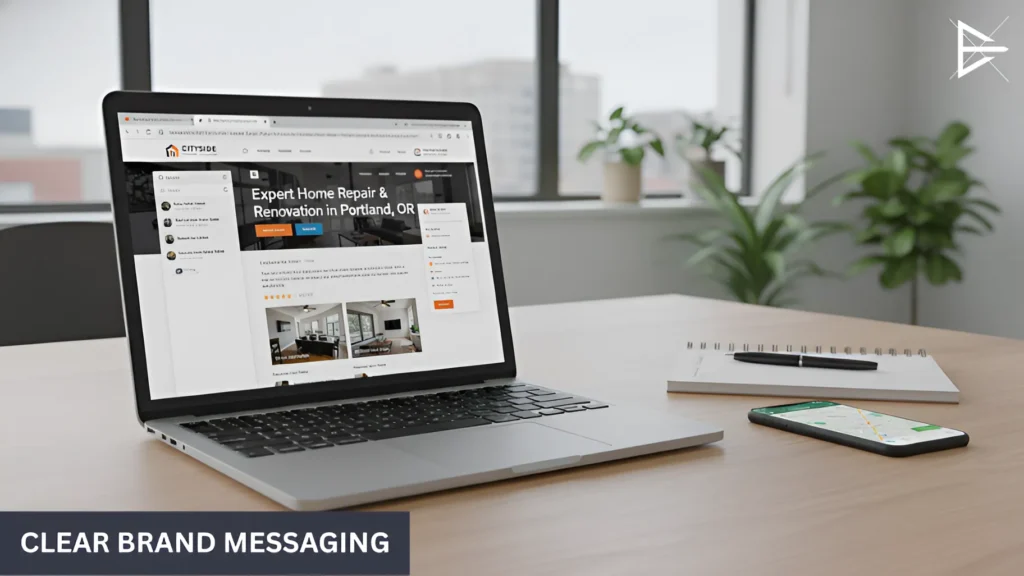
Laptop displaying a service website with clear headlines and visible offerings in a clean workspace.

When someone opens your website, they decide fast if they want to stay. This part checks if your message is clear right away. Here’s what to check:

● People Know What You Do Right Away

Someone should understand what your business does within a few seconds. If they have to scroll, guess, or read too much, the message is not clear.

● Your Main Service Is Easy to See

It should be obvious what you offer. If you do many things, the main one should still stand out. People should not feel unsure about what you actually provide.

● The Next Step Is Easy to Find

Visitors should know what to do next. Call you. Fill out a form. Ask for a quote. If the next step is hidden or unclear, many people will leave.

Website Audit Checklist: Calls to Action and Lead Capture

Once people understand what you do, the next question is simple. What should they do next? This part of the audit checks if your website makes that step easy. Here’s what to look for:

● Clear Calls to Action on Key Pages

Important pages should tell people what to do. Call now. Request a quote. Send a message. If there is no clear action, many visitors will leave without doing anything.

● Contact Forms Work Properly

Forms should send messages every time. They should be easy to fill out and easy to submit. If a form fails or feels hard to use, people usually give up.

● Phone Number and Contact Details Are Easy to Find

Visitors should not have to hunt for a phone number or contact page. This information should be easy to spot, especially on mobile.

Website Audit Checklist: Mobile, Speed, and Basic Experience

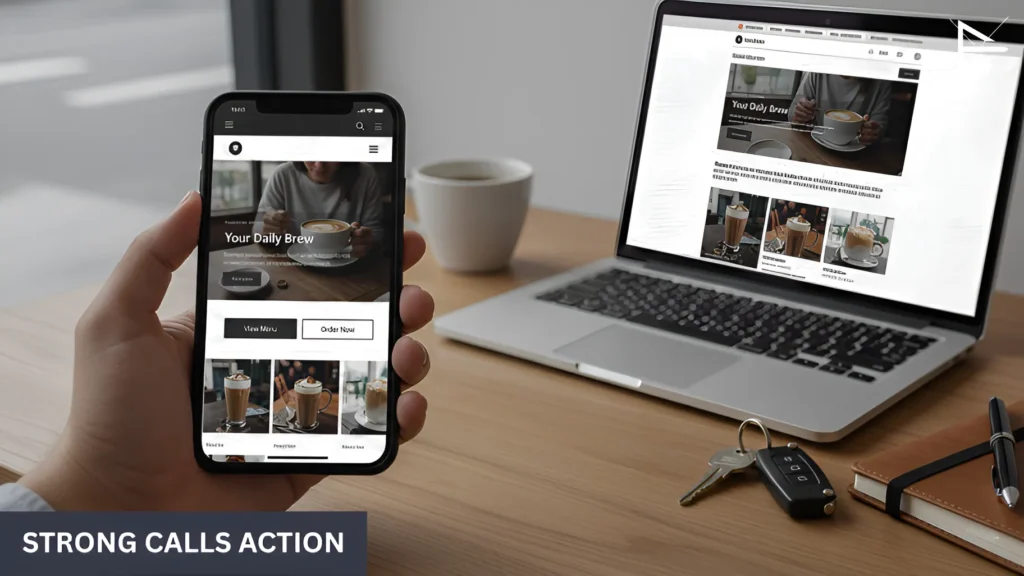
Laptop and smartphone showing a responsive website layout designed for fast and easy mobile use.

Most people visit your website on a phone. They do not give it much time.This part is about how the site feels when someone tries to use it. Here’s what to check:

● Does the Site Work on a Phone? The page should fit the screen. Text should be easy to read. Buttons should be easy to tap. If someone has to zoom or fight the page, they leave.

● Does the Page Load Fast Enough? People do not wait. If a page takes too long, they back out. They may never see what you offer.

● Does Anything Feel Broken? Menus should open. Buttons should work. Pages should not jump or glitch. Even small problems are enough to push people away.

Website Audit Checklist: Search Visibility and Trust Signals

This part is simple. If people cannot find your site, or they do not trust it, nothing else matters. Here’s what to look at:

● Pages Should Match What You Do and Where You Work

Each page should clearly say what service it is about. If you serve a city or area, that should be clear too. When pages are too general, search engines and people both skip them.

● Page Titles Should Make Sense

When your site shows up in search, the title should match the page. It should say what you offer, not something vague or clever. If the title is unclear, people do not click.

● Trust Should Be Easy to See

Reviews, real photos, licenses, or recent updates should be visible. People look for signs that a business is real and active. If the site feels old or empty, they leave.

What Business Owners Usually Realize After Doing This Checklist

Person casually checking their website on a laptop during a simple, non-technical review process.

Most business owners notice problems right away. A page feels off. Something looks messy. The flow does not feel right. That part is easy to see once you slow down and really look at the site.

The hard part comes after. You try to fix it by changing a word, moving a button, or adjusting a page. Sometimes nothing changes. Other times it helps a little in one spot but causes a new issue somewhere else. After a few tries, it starts to feel like you are guessing instead of fixing.

That is usually when things get unclear. You know something is wrong, but you are not sure which change actually matters. You are not sure what should come first, or what can be left alone. Every option feels possible, and that makes it harder to choose.

How I Can Help You Get Clarity About Your Website

Business owner reviewing a website homepage on a laptop to understand overall layout and messaging clarity.

At some point, most owners just want someone to look at the site and tell them what is really going on. That is where I help.

I look at your website the way a new visitor would. I read the pages. I click around. I try to use it. Since I do this often, certain problems stand out fast. Here is how that usually helps.

● A Fresh Look at the Site

When you see the same website every day, your brain fills in the gaps. You already know what you mean, so unclear parts stop standing out. I do not have that history. If a page is confusing, slow, or hard to follow, it is obvious right away.

● Less Guessing About What to Change

Many owners try a few small changes just to see what happens. Change a headline. Move a button. Add a page. Sometimes that helps. Often it does not. I help narrow things down so you are not guessing what matters and what does not.

● Clear Priorities Instead of a Long To-Do List

Not every issue needs attention right now. Some things are minor. Some things block people from reaching out. I help sort that out so you know what should come first and what can wait.

● Clear Reasons, Not Just Opinions

Instead of “this feels wrong,” you get clear reasons. Why a page may not work. Why people may leave. Why something may be costing you calls or emails. That makes decisions easier.

● Direction Even If You Pause

Even if you do not make changes right away, you leave with a clearer picture. You know what is working, what is not, and what to watch out for. That alone removes a lot of doubt.

Final Thoughts and a Simple Next Step

You do not need a long list of problems for this checklist to matter. One thing that feels off is enough.

It might be a page that does not make sense. A step that feels awkward. Something small you have ignored for a while. These small things usually matter more than they seem.

The main win here is noticing. Once you see what is not working, you stop guessing. You stop changing random things and hoping it helps.

Clear direction makes everything easier. Whether you fix something now, later, or ask for help down the road, knowing what actually needs attention puts you in a better spot.

Frequently Asked Questions

What is a website audit in simple terms?

A website audit is a way to pause and take an honest look at how your website is actually performing. Not how it looks, and not how you hope it works, but how it behaves for real people who land on it. It checks if visitors understand what you do, if the site works without friction, if people can find you through search, and if it leads them toward contacting you.

Many business owners assume their website is fine because it is live and not throwing errors. That is a low bar. A site can stay online for years while slowly losing leads. A simple audit helps you catch those problems before they become normal and harder to fix.

Do I need technical skills to audit my website?

No. This type of audit is not about how the website is built. It is about how it feels to use. You are not expected to understand code, SEO terms, or technical settings to spot problems that affect real people.

If something feels confusing, slow, or awkward when you use your own site, visitors feel that too. Most business owners already sense when something is off. The audit gives structure to that feeling instead of turning it into guesswork.

How often should business owners audit their website?

Once or twice a year is a good baseline. You should also audit your site when something changes, like a drop in leads, a redesign, new services, or a shift in who you want to attract.

Websites age quietly. Even if you never touch yours, browsers update, devices change, and search results shift. A regular audit helps you stay ahead instead of reacting when results already suffer.

Can a website look fine but still lose leads?

Yes, and this happens more often than most owners expect. A website can look clean, modern, and well-designed, but still fail to guide people clearly. Design and results are not the same thing.

Visitors do not spend time figuring things out. If they do not quickly understand what you offer or what to do next, they leave. Over time, that shows up as fewer calls or emails, even though nothing looks “broken.”

Why do people leave my website without contacting me?

Most people leave because something slows them down or creates doubt. This might be unclear wording, too much information, a slow page, or not knowing where to click next.

Very few visitors give feedback. They leave quietly. That is why these problems are easy to miss unless you look at the site from the outside.

How fast should my website load?

Your website should load fast enough that visitors do not notice the wait. If you are aware of a delay, it is already too slow for many people.

Online attention is short. People expect pages to open quickly, especially on mobile. Speed does not have to be perfect, but it should never feel like an obstacle.

Why does mobile matter so much for a website audit?

Most traffic today comes from phones. If your website works well on desktop but feels hard to use on mobile, you are losing visitors before they read anything.

This includes text that is too small, buttons that are hard to tap, or layouts that do not fit the screen. A mobile problem is often a silent lead killer.

What is a call to action and why does it matter?

A call to action tells visitors what to do next. Call. Send a message. Request a quote. Without this direction, people often stop, even if they are interested.

Interest alone is not enough. Clear direction helps people move forward instead of leaving and forgetting about the site.

How can I tell if my contact form is working?

The simplest way is to test it yourself. Fill it out and make sure the message arrives every time.

Forms can fail without warning. When that happens, leads disappear quietly. Regular testing prevents long periods of missed inquiries.

Why is it important that my main service is obvious?

Most visitors decide in seconds whether your website is for them. They do not read carefully, and they do not explore just to understand what you mean. If your main service is not clear right away, they assume it is not a good fit and move on.

This usually does not happen because the service is bad. It happens because the message is spread out, buried, or trying to say too many things at once. When your main service is clear, people know they are in the right place. When it is not, even interested visitors leave without taking the next step.

What are trust signals on a website?

Trust signals are simple signs that tell visitors your business is real and active. Things like reviews, photos, licenses, testimonials, and recent updates help people feel safe reaching out.

Without these signals, visitors hesitate. They may like what you offer, but uncertainty slows them down. Online, hesitation usually means leaving. Trust signals do not convince people. They remove doubt, which is often more important.

Why do page titles matter for search results?

Page titles are the first thing people see when your website shows up in search. They help users decide whether clicking your site is worth their time.

If a title is vague or unclear, people skip it, even if the page itself is good. Clear titles set expectations and attract visitors who are actually looking for what you offer. Over time, this affects both traffic quality and lead quality.

Can small website issues really affect my business?

Yes, because small issues rarely show up all at once. They slowly reduce results over time. One unclear page might not matter much, but several small issues across the site add friction at every step.

Most business owners notice this as a slow drop in calls or emails, not as a clear error. By the time it feels serious, the problem has often been there longer than expected.

Why don’t I notice website problems right away?

Because your website does not alert you when something stops working well. Pages still load. The site stays online. Everything looks normal at a glance.

The only real signal is behavior. Fewer calls. Fewer messages. Less interest. Without regular checks, it is easy to miss the cause and assume the problem is somewhere else.

What is the biggest mistake business owners make when fixing their website?

The biggest mistake is guessing. Changing things without knowing what matters feels productive, but it often leads to mixed results or new problems.

Random changes also make it harder to know what actually helped. Without clear direction, even good effort turns into confusion instead of improvement.

Is it normal to feel stuck after spotting website issues?

Yes, because spotting a problem does not explain how to fix it. Many website issues are connected, so changing one thing can affect another.

This is where many owners pause. Not because they are unwilling to act, but because acting without clarity feels risky when the website brings in real business.

When should I stop fixing things on my own?

When changes stop improving results or start creating new problems, it is time to stop guessing. At that point, effort alone is no longer enough.

Websites that generate leads or sales deserve careful decisions. Clear direction matters more than quick changes when results are on the line.

How does a second set of eyes help with a website audit?

When you look at the same website every day, your brain fills in gaps. You know what you mean, so unclear parts stop standing out.

Someone new does not have that bias. They notice confusion, friction, and missed steps faster because they experience the site the way visitors do.

Do I need to redesign my whole website if problems show up?

Not usually. Many issues come from structure, clarity, or flow, not from the design itself.

Redesigns are often suggested too early. Knowing what actually needs fixing helps avoid unnecessary work and cost.

What is the main goal of this website audit checklist?

The goal is not perfection. It is clarity. To help you understand what is working, what is not, and what deserves attention.

Once things are clear, decisions become easier. Whether you fix issues yourself or ask for help later, you are no longer guessing or reacting blindly.
About the Author

Harvie Ken Colonia

Hi, I’m Harvie!

I started working with business websites in 2019. Back then, most of the questions I heard were simple.

“Why aren’t people calling?”
“Why does the site feel fine, but nothing is happening?”

Over time, I learned that most website problems are not technical. The site is usually online. Pages load. Nothing looks broken. But the message is unclear, the next step is hard to find, or small issues quietly push people away. Those things add up.

That is why I focus on simple website audits. I look at sites the same way a first-time visitor would. I read the pages, click the links, and pay attention to what feels confusing or slow. My goal is not to overwhelm anyone. It is to help business owners see what is actually happening before they decide what to change.

If your website has ever felt “fine” but results have slowed down, this checklist is meant to help you spot why.